If you owned Ripple back in 2018 and used a Rippex Wallet to store it, you might think your Ripple is gone for good.
When Rippex Wallet was discontinued in 2018, many users were left with inaccessible wallet files, and many of them simply resigned themselves to the fact that their XRP was gone forever.
But they’re wrong. In fact, your funds can be recovered in many cases. If you have a significant amount of Ripple stored in a Rippex Wallet, this might be the most valuable article you read in a while.
We’ll show you how Rippex Wallet worked, the different methods available to recover your funds in 2026, and how to keep your Ripple safe in the future.
Is it Possible to Recover Your Funds from Rippex Wallet in 2026?
If you still have your keys or wallet files, it’s possible to recover the XRP stored in your Rippex Wallet.
This is because XRP is stored on the blockchain, not in the wallet itself. Your wallet contains your secret key, which in turn allows you to access the Ripple currency on the blockchain. That means if you have your secret key, you can still access your XRP.
If you don’t have your secret key, you might still have a shot at recovering your funds. In the next section, we’ll show you some of the options available to you here.
How Rippex Wallets Store Your XRP
Rippex stores secret keys in the encrypted wallet file, which is a JSON (SJCL) file stored locally, so your information is never shared over the network.
In the past, whenever you would open Rippex, it would derive the AES key (via PBKDF2) and decrypt the ciphertext to reveal your raw secret, a unique string of characters that allowed you to access your XRP.
6 Ways to Recover an Old Rippex Wallet
There are several options available to you when it comes to recovering an old Rippex wallet, depending on what information you have available to you (like keys, wallet files, passwords, or drives).
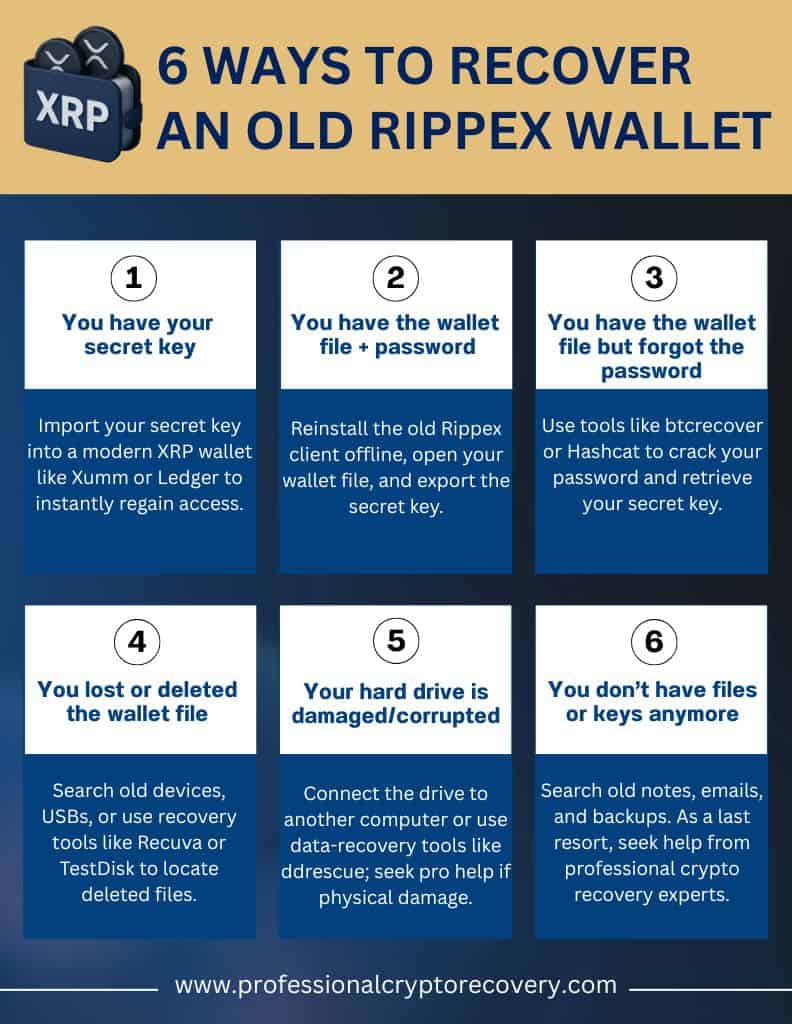
Here are 6:
Option 1 – You Have Your Secret Key
In the best-case scenario, you still have access to your secret key, or family seed, a 29-character string starting with “s”. If this is the case, recovering your XRP from Rippex is fairly straightforward.
You simply have to import your key into a current XRP wallet. In Xumm wallet, for example, go to Settings, Accounts, then “Import Existing” and enter your secret key to access your account.
Once you have access to your funds, it’s a good idea to move them off the old Rippex key and into a more secure, up-to-date wallet.
Option 2 – You Have the Wallet File + Password
If you no longer remember your secret key, you can still access your Rippex funds, but it will require a different approach.
You have two main options here. If you can find an installer or executable for the old Rippex client, you can run and open it offline. Navigate to “Open Wallet”, select your file, enter your password, and then export the secret key. You can then follow the steps from option 1.
Option 3 – You Have the Wallet File but Forgot the Password
If you have your wallet file but don’t remember your password, this is where things start to get a bit more technical.
Fortunately, there are options. You can use password recovery tools to crack the password and gain access to your secret key.
Another tool you can use is Hashcat, as long as you have access to the right data. This thread on the Hashcat forum goes into more detail on how that works.
Once you have cracked the password, you should be able to access your secret key and then import it into a safe and supported XRP wallet.
Option 4 – You Lost or Deleted the Wallet File
If you have lost or deleted your wallet file, you’re in a tough situation, since this file contains the keys you need to access your funds. Even in this case, however, things might not be entirely hopeless.
A good starting point is to search old devices or backups for wallet files. Think about old laptops, USB drives, and cloud storage. It’s also worth searching your email history in case you emailed the file to yourself at any point. Try searching devices for .dat/.json content that looks like the Base64 JSON.
If you think you might have deleted the file, you could try using a tool like Recuva, PhotoRec, or TestDisk to scan for deleted files.
Option 5 – Your Hard Drive Is Damaged or Corrupted
If your wallet file is on a damaged or malfunctioning disk, it’s best to start with non-invasive recovery steps. For example, connect the drive to a working computer via USB and use a different file system driver or a specialized tool (like Linux’s ddrescue), which can sometimes read data from a corrupted disk.
If your disk is physically damaged, your best option is to seek professional help from a company that specializes in data recovery. If you suspect physical damage, make sure not to repeatedly power on a failing drive, as this can make your data permanently inaccessible.
Option 6 – You Don’t Have Files or Keys Anymore
If you don’t have access to either your files or keys… things aren’t looking good. This means it’s going to be almost impossible to recover access to your funds, but there are still some steps you can take.
You can try scouring your files and devices for any possible traces or hints of your secret key. Look at old notes, password managers, and email records. It may also help to ask in specialist forums or social media groups, but be careful not to share any sensitive information.
As a last resort, an expert data recovery professional may be able to help you. For example, if you can remember some portion of your secret key, an expert wallet-recovery service might be able to help you deduce the rest, but you should be aware that the chances of success here are extremely low.
Brief History of Rippex Wallet
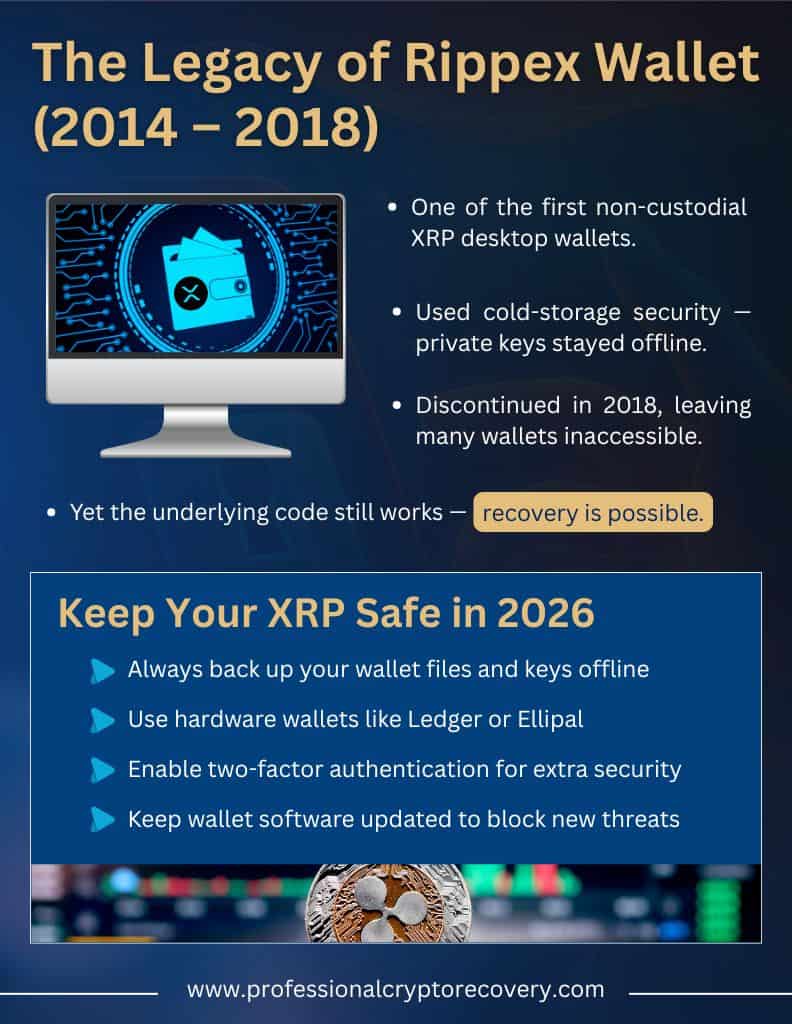
Rippex was one of the earliest non-custodial XRP desktop wallets. It was not an official Ripple product, but was instead a third-party XRP desktop wallet. Rippex used cold-storage security, so users’ private keys never left the device.
During its lifetime, Rippex had a solid reputation as a secure and reliable wallet and a fairly wide user base of Ripple enthusiasts. In 2018, however, the story came to an end and Rippex shut down. And those users who forgot about their funds, or took too long to move them to another wallet, ended up with inaccessible wallet files still holding XRP.
But here’s the interesting part. Even though Rippex itself is no longer maintained, the desktop wallet code underpinning the wallet still works. Which means your funds might still be recoverable using the options above.
How Can I Transfer Funds from a Rippex Wallet?
If you manage to regain access to your Rippex Wallet, your next step should be to transfer the funds to a more modern, secure wallet. Some great options here include Ledger, Xaman, and Ellipal.
The exact steps involved in transferring your funds will vary slightly depending on the wallet you use. In Xaman, for example, you need to follow the steps we outlined in option 1 above, where you navigate to Settings, then Accounts, then select Import Existing Account and enter your secret key to import your Rippex account.
Then, Confirm your account balance (remember that 10XRP must stay locked on the ledger, but you can transfer anything above that amount). You can then send your XRP by entering the address of your new destination wallet.
Tips to Prevent Future XRP Losses
There’s a lot you can do to prevent losing your XRP in the future. Here are a few best practices to follow:
- Always back up your wallet files and keys, and store your backups in a safe, offline place
- Use hardware wallets like Ledger. Since these wallets sign transactions offline, there’s no risk of any compromise by hackers, unlike with online wallets.
- Use two-factor authentication wherever possible. This keeps your accounts safe from potential hackers by requiring you to independently confirm any access attempt from a second device.
- Keep software updated. Don’t ignore those notifications; regularly updating your wallet keeps you safe from emerging threats and vulnerabilities.
How Can Professional Crypto Recovery Help to Restore Access?
Lots of Rippex Wallet users have resigned themselves to the fact that their funds are gone forever with no chance of recovery. If you’re in this group, hopefully this article has reassured you that not all hope is lost.
If the above steps aren’t working for you, you may still be able to recover your funds with expert help. At PCR, it’s our job to safely recover data in complex cases like forgotten passwords, corrupted files, and damaged drives.
Get in touch with us to learn more about how exactly we can help.
FAQ: Recover Your Rippex Wallet Funds
How to restore an old Rippex wallet?
Since the Rippex wallet was discontinued in 2018, many users now believe they are unable to access their funds. The good news is that there are plenty of options to recover your funds. The exact solution depends on what information you have access to, like your secret key, wallet file, password, or drive.
Is it possible to recover a crypto wallet?
Yes, it’s possible to recover a crypto wallet even if you have forgotten your password or secret keys. You might be able to transfer the funds directly to another wallet, use a password recovery tool to regain access to your secret key, or install the old Rippex software. If these steps don’t work, a specialist data recovery service like PCR might be able to help you.
Does Rippex Wallet still work?
Rippex Wallet was discontinued in 2018, but you can still access your funds if you have your secret key, password, or wallet files. There are several steps you can take here to recover your XRP, and if you’re still struggling, a crypto wallet recovery service like PCR might be able to help.