In its own words, SafePal Wallet is “The Best Crypto Wallet for Beginners and Experts Alike”.
There’s no denying that it’s an excellent platform for storing and managing your crypto, and its 20 million users across 196 countries seem to agree.
To get the most out of this wallet and avoid any unwanted issues, it’s a good idea to get clued up on its features, common challenges, and best practices.
That’s what this article is here for. We’ll give you all the basic information about the different types of SafePal wallets available, the features you need to know about, some common issues that users run into, and how to recover access to your wallet safely, along with how to get the most out of your wallet.
What Is SafePal Wallet?
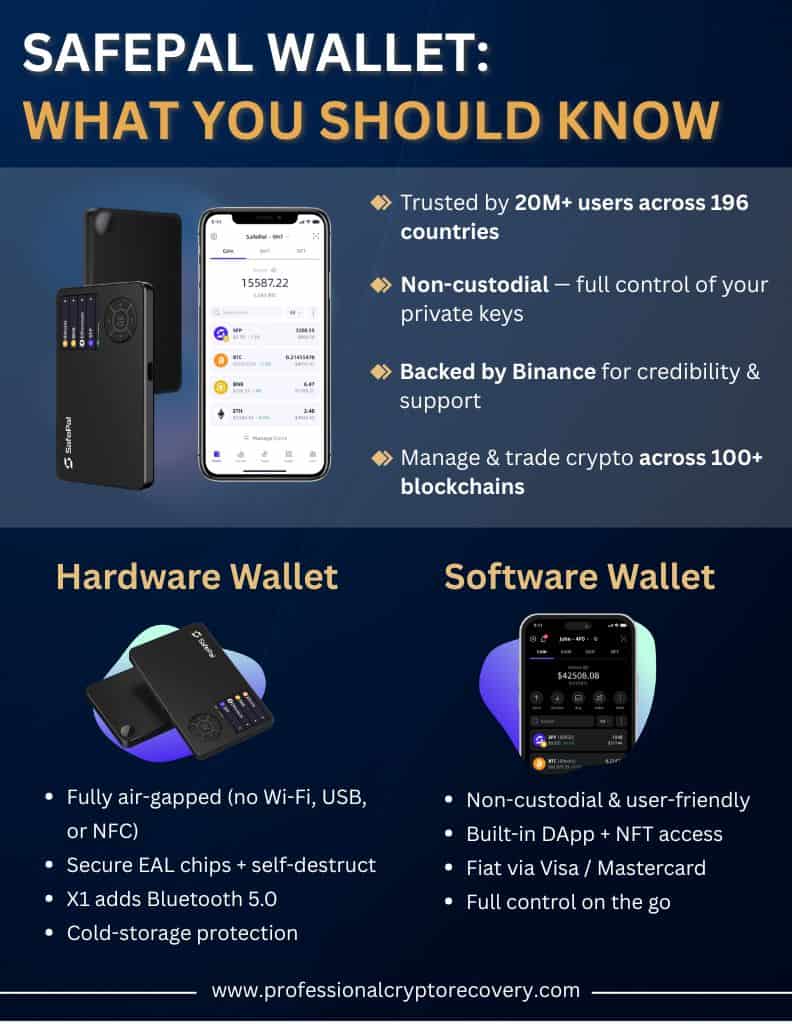
SafePal Wallet is a non-custodial wallet, which means you have complete control over your private keys and all your digital assets.
It’s backed by Binance and offers both hardware and software wallets. Users can store, manage, and trade crypto assets across more than 100 blockchains, all from one single app. Because SafePal doesn’t hold your funds or keys, you get a higher level of autonomy, privacy, and control over your assets, which is a major benefit for lots of users.
Types of SafePal Wallets
SafePal offers a range of different wallet types, and each comes with its own unique set of features, pros, and cons. Let’s take a look at the main options available here.
Hardware Wallets
SafePal offers two hardware wallets, the SafePal S1 (and its improved version, the S1 Pro) and the SafePal X1. Let’s break these down:
The S1 and S1 Pro:
- Are fully airgapped, which means no Bluetooth, WiFi, or USB connectivity, so your keys can never come into contact with the internet
- Both come with EAL6+ certified high-grade chips and even a self-destruct mechanism.
The X1:
- Comes with Bluetooth 5.0, which makes for faster pairing but means it’s not fully airgapped
- Has a slightly weaker but still very robust EAL5+ chip and a larger monochrome screen compared to the S1’s smaller but full-color display
To use both devices, you pair them with the SafePal app by scanning a QR code. Your keys remain on the device at all times, and all transactions are signed offline on the wallet itself.
Software Options
Now for the software wallet options. Here you have a mobile app available on iOS and Android, as well as a browser app that works with Chrome, Edge, and Firefox.
Again, the software wallet is fully non-custodial, and your keys and seed phrase stay on your devices. These wallets come with a built-in DApp browser, an NFT wallet, an on-chain portfolio tracker, and integration with fiat banking options via Visa and Mastercard.
Software wallets are always going to be less secure than their hardware counterparts. However, you do get on-the-go access to your funds and a higher level of convenience and user-friendliness, all while retaining full control of your private keys.
Key Features of SafePal Wallet
You can think of SafePal as a wallet ecosystem rather than simply a place to store your assets. This means it comes with a suite of impressive features.
Multi-Chain Support
SafePal supports more than 100 blockchains and more than 30,000 coins and tokens. That means whatever chain you want to interact with and whatever asset you want to own, there’s a very high chance SafePal will allow you to buy and hold it. This makes it easy to manage a very large and diverse portfolio without constantly hopping between wallets.
DApp Access and NFT Management
The SafePal app has an integrated DApp browser so you can connect to DeFi applications, staking pools, and NFT marketplaces easily from your device. It supports on-chain NFTs and token standards, too, so you can view and manage NFTs from your wallet.
Staking
With the SafePal Earn feature, you can now stake crypto assets into DeFi mining pools and earn rewards over time. SafePal offers staking for its own token, SFP, as well as a wide range of others, and it all happens within the app.
Built-in Swap Tools
Thanks to the SafePal Swap feature, wallet users can easily exchange different cryptocurrencies within the app. It’s cheap, fast, and with minimal slippage.
Fiat Integration
SafePal has a banking gateway with digital Visa and Mastercard cards. This is a unique feature that means you can buy and sell crypto with fiat currency inside the SafePal wallet. Just add funds via your card and you’re ready to go.
Non-Custodial Control
Self-custody of your crypto funds is a central part of SafePal’s philosophy. You’ll always have full control of your seed phrase, with which you can restore your wallet if you need to. You’ll approve all transactions on your hardware wallet or app, and your private keys will never leave the device.
Device Integration
Because all SafePal products are linked by the SafePal app, you can initiate transactions within the app and then sign them on the hardware wallet by simply scanning a QR code. This means you can easily use any SafePal wallet type without any extra steps required.
How Secure is SafePal Wallet?
When it comes to choosing a crypto wallet, the number one concern for most users is security. So how does SafePal handle this? Are your funds safe?
Here’s how security works inside SafePal:
- All SafePal hardware wallets use a highly secure CC EAL-certified chip, which isolates important data from other hardware components. Even if the main device is compromised, the chip will protect the private keys.
- The S1 and S1 Pro models are fully airgapped and operate 100% offline, with no option for Bluetooth, NFC, or USB connectivity. Transaction data is only transferred via the camera and QR code, which keeps your sensitive data completely off the internet at all times.
- If SafePal devices detect any physical tampering with them, they give you the option to self-destruct your wallet, which essentially wipes out the keys to prevent theft. However, it’s worth noting that independent tests have found that in some cases these tamper alerts can be bypassed.
- You’ll need to enter a 6-digit PIN every time you use a wallet, and you can also set up two-factor authentication and biometric locks within the SafePal app. When you set up your wallet, SafePal will ask you to scan QR codes displayed on the device, which makes sure your wallet is genuine.
SafePal comes with impressive security features, but remember that security is ultimately your responsibility. You need to take great care of your seed phrase and follow best practices for security (we’ll cover those in just a moment).
Common SafePal Wallet Issues & User Challenges
SafePal Wallet works well most of the time, but there are still a few issues that you might run into while using it.
Let’s take a look at some of the more common SafePal wallet issues.
Problems with Seed Phrases during Recovery
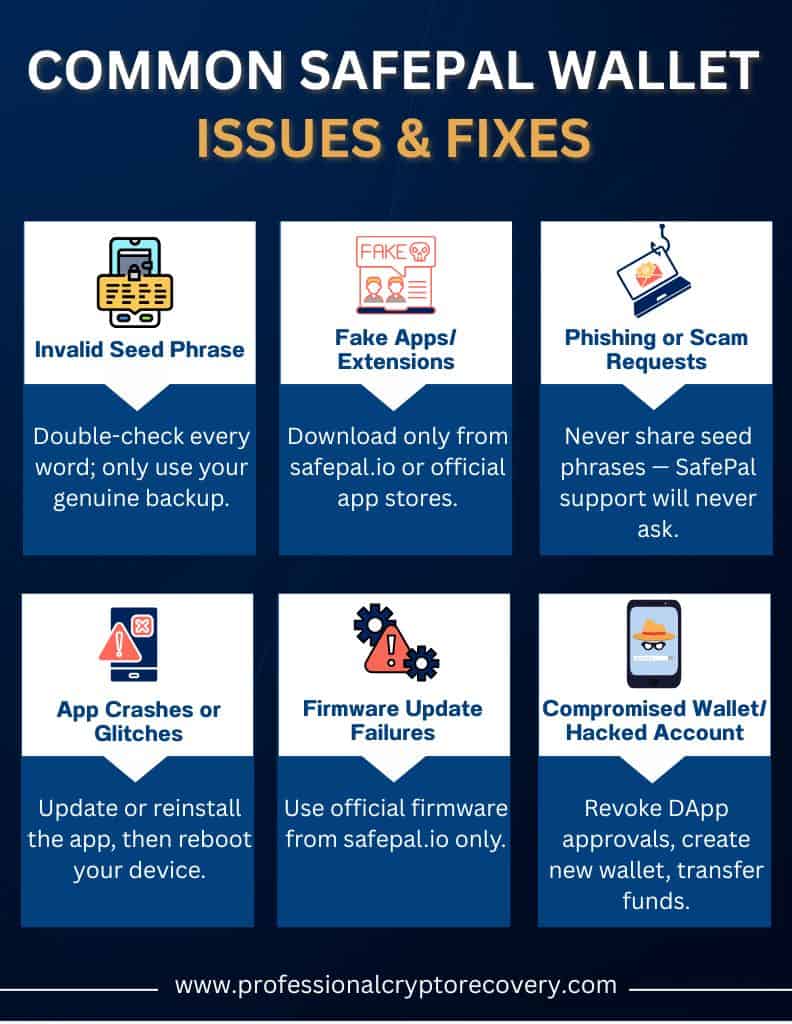
You might see an “invalid seed phrase” error when you try to restore a SafePal wallet. Usually, this is the result of entering the phrase incorrectly, for example, due to a typo or confusing it with another phrase. Always carefully check each word in your seed phrase and make sure you’re only using your own genuine seed. If you still get an invalid seed phrase error you will need professional help. Contact Us to get started.
Phishing Scams and Malicious Software
Scammers sometimes create fake apps or browser extensions that look very similar to SafePal to trick users into entering their sensitive information. The only SafePal app or extension is the official one on safepal.io or verified official app stores. SafePal team members will never ask for your seed phrases on social media, and any “upgrade” or support request asking for your private keys is a scam.
App Malfunctions and Glitches
As with all software, sometimes your SafePal app might crash or run into problems while syncing. If this happens, you have a few options. Usually, checking for updates, reinstalling the app, or rebooting the device will solve the problem. You can also reach out to SafePal support.
It’s worth noting that the majority of SafePal Wallet problems are a result of user error or social engineering attacks like phishing, and rarely due to flaws with the wallet itself.
Best Practices to Keep Your SafePal Wallet Secure
Since SafePal wallet problems are usually down to user error, what can you do to keep your wallet as safe as possible? Here are some best practices to follow.
- Write down your seed phrase offline on paper or metal and store it in more than one secure place, like your home or a lockbox. Storing in two locations gives you an extra layer of insurance in case of an unexpected disaster like a fire. Never take a photo of your seed or store it anywhere digitally.
- Only ever download the SafePal app or browser from the official safepal.io website or an official app store. Be vigilant for fake sites or social media links.
- Whenever you set up a new hardware wallet, carefully follow SafePal’s device authentication steps. Scan the QR code on the device, and make sure the verification codes shown in the app match what you see on the device.
- Set a unique PIN for your hardware wallet and, to be extra secure, set up the extra passphrase feature
- Only ever update your SafePal hardware with official firmware from safepal.io. It’s important to keep your firmware up to date so you get all security patches, but always make sure you haven’t been tricked into a bogus update.
- Test your backup by restoring your wallet on a separate device. This will show you if your seed is correct or if you wrote it down incorrectly.
What to Do If Your SafePal Wallet is Hacked? The Recovery Process
Unfortunately, SafePal Wallets can and do get hacked. If this happens to you, you still have a chance to recover your funds, but you need to act fast and take the right steps.
First, remove any active approvals or connected DApps from the wallet. It might help to use a blockchain explorer to revoke all token allowances so attackers can’t move any more assets out of the wallet.
You’ll then need to create a new wallet. Send all remaining crypto from the old compromised wallet to your new wallet, one coin at a time, making sure to check all addresses.
Frequently Asked Questions
Is the SafePal wallet safe?
The SafePal wallet is a very reliable and safe way to store your crypto funds, but you need to follow best practices for security and carefully protect your seed phrase.
Is SafePal backed by Binance?
Yes, the SafePal Wallet is backed by Binance, which gives it a level of credibility that some other wallets can’t match. It also integrates with the Binance ecosystem.
How do I get my money off SafePal?
To send crypto from SafePal to another wallet or exchange, simply use the “send” feature in the wallet app. You can also use the sell/off-ramp feature (via MoonPay) to convert it to fiat and withdraw to your bank.
How do you make money on SafePal?
SafePal’s SafePal Earn feature allows you to earn passive income by staking crypto assets.