Atomic Wallet is a multi-currency crypto wallet for mobile (Android and iOS), Desktop (macOS, Windows, Linux), and web (Chrome and Brave). It is non-custodial, meaning users get to manage and safeguard their private keys for full custody and control of their crypto.
This also means that backup and recovery are the user’s responsibility.
Upon wallet creation, you receive a phrase that you can use to restore your wallet on any device, anytime you want. But things may not always go to plan. One in three crypto holders have lost an account or wallet.
Missing seed phrases, forgotten passwords, corrupted wallet files, and missing balances are just a few issues users encounter when attempting wallet recovery. And since Atomic doesn’t store your data on its servers, it is up to the user to troubleshoot and find a solution.
This guide examines Atomic Wallet recovery, issues you might experience during the operation, and what to do to solve them.
How Does Atomic Wallet Recovery Work?
Backup and recovery on Atomic Wallet, like most non-custodial platforms, rely on a mnemonic. This is a 12-word phrase that encodes a wallet’s keys. When fed into Atomic or any BIP-39-compatible wallet, it gives you full access to your addresses and the assets they contain.
Here’s a brief look at recovery on mobile and desktop.
Atomic Wallet Recovery on Desktop
- Download the relevant Atomic desktop application for your OS.
- On the welcome screen, click Restore from backup or RESTORE WALLET.
- Type your recovery phrase into the dialogue box, making sure to pay attention to spelling and capitalization.
- Click on RESTORE WALLET.
- On the next screen, create a password and wait a couple of seconds for the wallet to load your addresses.
Atomic Wallet Recovery on Mobile
- Download Atomic Wallet from the App Store or Play Store.
- On the welcome screen, navigate to the menu (three dots in the top-right corner).
- Select Restore and type your 12-word phrase in the dialogue box.
- Alternatively, you can scan the QR code of your backup phrase if you have one printed out.
- Tap Restore to confirm.
- Finish the process by creating a password/pin to protect your app from unauthorized access.
Atomic Wallet Recovery Scenarios
- Forgotten Password/Pin
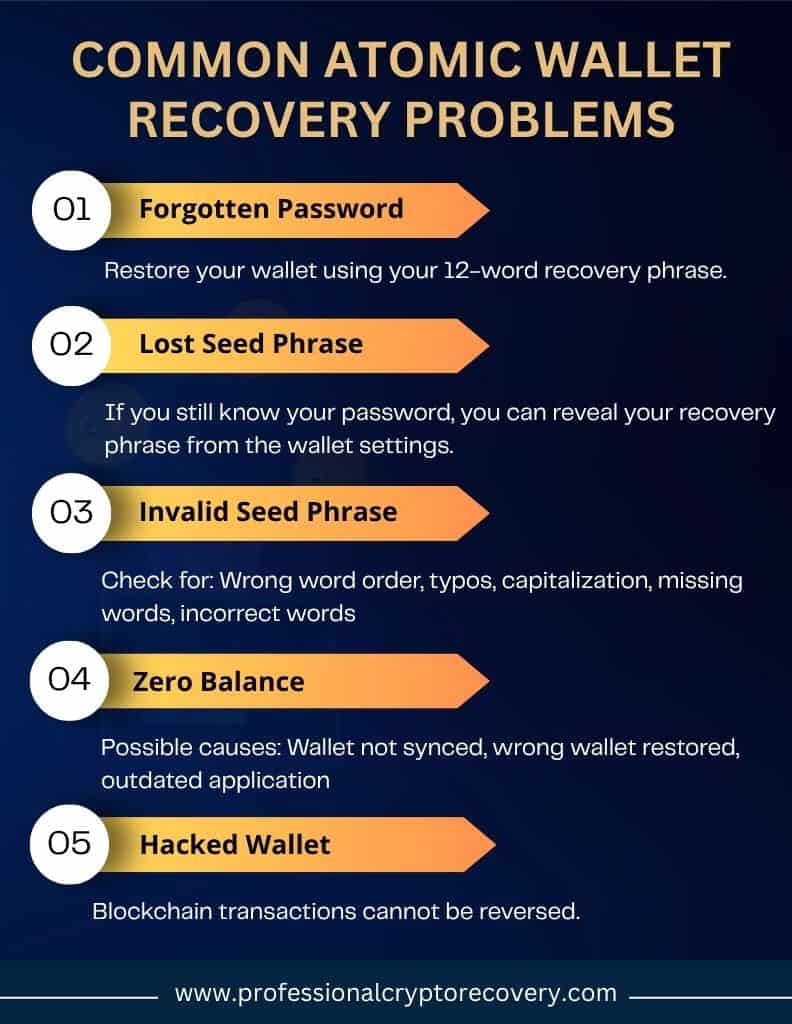
Your password/pin controls access to your wallet. However, there is no Atomic Wallet password reset button in case you lose it. You’ll have to find another way in.
This is where the backup phrase, the ultimate proof of ownership, comes in. It allows you to access your assets anytime, on any device. So if you’ve lost your password/pin, all you have to do is use this phrase to restore your wallet and set a new password.
- Lost Atomic Wallet Recovery Phrase
Your Atomic backup is the most crucial bit of information. Losing it can mean losing your assets forever, but depending on your situation, it could also be an easy problem to solve.
How?
Atomic Wallet does not retain a copy of your recovery phrase on its servers. But like most modern wallets, it creates a local copy in the app, allowing you to view it anytime you want. All you have to do is provide the password for authorization.
So, if you’ve lost your Atomic Wallet seed phrase but you still have the password, you’re good. To view the phrase on desktop:
- Log into your wallet.
- Navigate to the settings menu.
- Select Private Keys.
- You’ll be asked to provide the password.
- Select SHOW PRIVATE KEYS.
- This will reveal your recovery phrase and private keys. Note that each asset has its own private key.
- Write down the phrase and/or the keys.
On mobile:
- Log into your wallet.
- Navigate to the settings menu.
- Tap on Security.
- Tap Private keys & backup.
- Enter your password/pin and select Show private keys.
- Confirm to reveal your wallet’s seed phrase and private keys.
Once you have your backup and/or keys, make sure to record them and store this record securely.
3. Lost Atomic Wallet Backup Phrase but No Password/Pin
If you’ve lost your recovery phrase as well as your password/pin, you’re in trouble. You can’t use your backup to reset your password, and you can’t use your password to reveal your backup.
However, this doesn’t mean your funds are lost forever. While recovering a lost seed phrase is impossible due to the high number of possible variations, your password/pin is another story.
Depending on its difficulty and how much information you can provide, it’s possible to reconstruct a lost password/pin with the help of recovery tools and a wallet recovery professional.
The most important thing in this case is that you don’t delete your Atomic Wallet installation. This ensures the password you set is still the password required to open the app. And then, with the help of an expert, you can recover the password, get inside, and obtain your assets or keys.
If you’ve lost both your recovery phrase and password/pin and no longer have the installation you created the password on, nothing can be done to recover your wallet.
4. Other Seed Phrase Issues
In some cases, users have a seed phrase, but for one reason or another, can’t use it to recover their wallet. An Atomic seed phrase is considered incomplete if it isn’t exactly 12 words.
Depending on the number of missing words, it might be possible to reconstruct the whole phrase and recover your wallet. You will need powerful software tools, though, and the hardware to match.
This is where professional crypto recovery comes in handy. While there are open-source tools you can use to attempt recovery yourself, your chances of success are lower than if you leave the job to someone with the right expertise and equipment.
What if you have the complete seed phrase, but any attempt to use it keeps returning an invalid seed phrase error? This could mean a variety of things:
- Your words are in the wrong order.
- You’re getting the capitalization wrong.
- There are typos in your seed phrase.
- You have one or more words that don’t belong.
- You’re missing words.
Depending on the underlying cause, an invalid seed phrase can be corrected by being extra diligent when typing the phrase. Check for typos, capitalization errors, and antonyms (words that sound the same but are spelled differently).
If this doesn’t work, seek professional help.
5. Stolen Funds/Drained Wallet
Getting hacked is an ever-present risk in crypto. Sometimes, it is a result of user mistakes, like exposing your private keys online or interacting with phishing emails or websites. Other times, it is no fault of the user, like in 2023, when a North Korea-based hacker group drained an estimated $35 to $100 million from Atomic Wallets worldwide.
Whatever the cause, if you’re hacked and crypto is transferred out of your wallet, there is no way to get it back, even if you have your full mnemonic and private keys and employ the best recovery professionals in the world. This is because crypto transactions cannot be reversed. Once the money is gone, it is gone for good.
Troubleshooting Atomic Wallet Recovery
Sometimes recovery is successful, but when you open the wallet, you’re met with a zero balance or syncing issues. Here’s a closer look at these issues and their possible solutions.
Wallet Restored But With Incomplete/Zero Balance
If you open your wallet after recovery only to find a zero balance, you might have been hacked, in which case nothing can be done to recover your assets. You can confirm this by checking your address balance using a block explorer and reviewing recent transactions.
Recent outgoing transactions that you didn’t authorize signal a hacked wallet. If there are no recent transactions and an unexpected balance, you probably restored the wrong address.
If you’re sure you have the correct address, then your Atomic Wallet is not syncing with the blockchain. To solve this, check your internet connection and try refreshing the app or fully relaunching it.
If this doesn’t work, check your application version. It could be that you’re not syncing with the blockchain because you’re on an older version. You want to be on the latest version.
Other signs of syncing issues include:
- Balance won’t update after a transaction.
- You can’t send a transaction.
On its website, Atomic also mentions that zero balances can be the result of restoring a non-existent and thus empty account due to an issue with the seed phrase. To solve this, they recommend that you:
- Double-check your recovery phrase.
- Do a clean reinstall and try again.
When to Seek Professional Atomic Wallet Recovery
Crypto ownership and recovery are typically a DIY affair. But in some cases, doing it yourself doesn’t reap the intended results, in which case you’ll need professional help. If you still have crypto in your accounts and can provide information that makes recovery by an expert possible, don’t hesitate to bring in an expert.
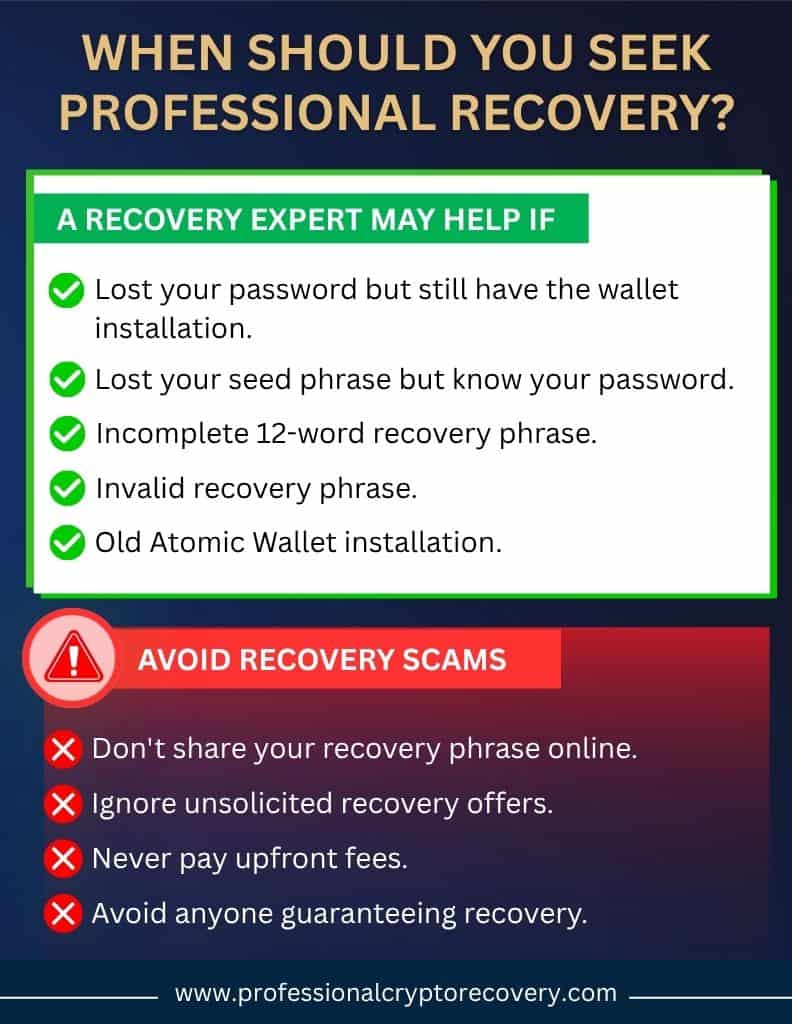
So, what are these scenarios in which a wallet recovery expert can help you? Here’s a quick rundown:
- You’ve lost your seed phrase and password, but can provide some details about the password.
- You have an incomplete seed phrase.
- You have an invalid seed phrase, but can’t diagnose what the problem is.
- You have an old Atomic Wallet installation.
Still, you have to be careful when looking for expert help. Not everyone who says they can recover your Atomic Wallet actually intends to do that, especially online. Many scammers stalk forums and social media platforms, preying on unsuspecting users.
To be on the safe side:
- Don’t share your case online.
- Don’t trust anyone who messages you offering recovery services.
- Do your research online to find a reliable wallet recovery service.
- Don’t trust anyone who guarantees they can recover your wallet or asks for payment upfront.
Professional Atomic Wallet Recovery Services You Can Trust
With extensive experience in the crypto recovery business coupled with 20+ years in IT, Professional Crypto Recovery (PCR) has you covered.
We are a trusted crypto recovery business that has helped many people worldwide recover their lost crypto. Our services cover a wide range of platforms, from hardware wallets to software wallets like Atomic, even the older, unsupported versions.
We only take payment for wallets successfully recovered. So if you’re looking for transparent, affordable, and effective recovery services, you’re in the right place. Contact us today to begin your recovery.
Frequently Asked Questions
There are several reasons why your Atomic seed phrase could be invalid: spelling mistakes, capitalization errors, and wrongly ordered words. Basically, if you make even the slightest error when inputting your seed phrase, you’ll be met with an invalid seed phrase warning.
Depends on the value in your Atomic Wallet. At PCR, we charge 18% of the wallet’s value, making us one of the most affordable wallet recovery services. Contact us to learn more.
Syncing issues will cause your Atomic Wallet to show the wrong balance. Nonetheless, you want to check your address on a block explorer just to be sure. If it shows a balance, check your internet connection, relaunch the app, and update to the latest version.