Coinomi is a non-custodial, multi-chain cryptocurrency wallet that supports thousands of assets across more than 50 blockchains.
It’s a highly secure option, too, having never been compromised since its creation in 2014. That said, users still occasionally run into issues. If you delete your app, lose your phone, or have trouble with your recovery phrase, it can be difficult to regain access to the assets in your Coinomi wallet.
Fortunately, there are plenty of options to recover access to your wallet. In this article, we’ll break down some of the common problems Coinomi users run into and the steps you can take to fix them.
How to Recover Coinomi Wallet With Recovery Phrase
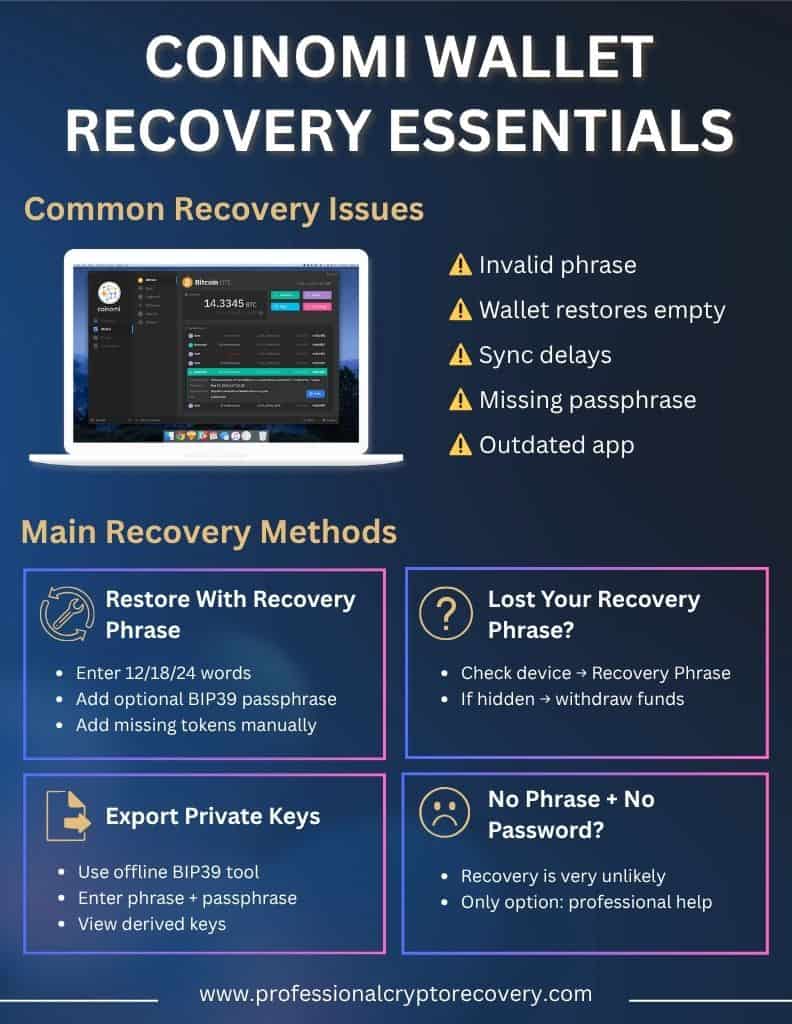
If you have your 12, 18, or 24-word recovery phrase, regaining access to your Coinimi wallet is fairly straightforward.
Step 1: Start by installing and opening the Coinomi app on any device.
Open the app and select “I already have a wallet” or “Restore a wallet” and then enter your exact recovery phrase in the correct order.
PS – Be extremely careful to download the app from a trusted app store or the official Coinomi website.
Step 2: You might have set an optional BIP39 passphrase for extra security. If so, you’ll need to enable the app’s advanced settings and enter it during the seed phrase recovery process.
Remember that this is different from your app PIN, and it must be exactly correct.
Step 3: Once you’re in, set a new wallet password for that device.
Then you can choose which coins to add back into your wallet. Some tokens may not load at first, in which case you can add them manually by selecting “Add tokens”.
Use of Coinomi Recovery Tool to Export Private Keys
You may need access to your private keys, for example, if you want to import funds from Coinomi into another wallet.
In this case, Coinimi recommends using Ian Coleman’s open-source BIP39 tool, which you can find here. It’s best to download the tool’s HTML and run it on a machine that will never be connected to the internet again (sometimes referred to as air-gapped).
You’ll need to:
- Enter your recovery phrase into the BIP39 Mnemonic field
- If you have one, enter your BIP39 passphrase
- Choose the correct coin from the dropdown list
- Scroll to the “Derived Addresses” section and find your address and the corresponding private key next to it
Always be very careful to never share your recovery phrase or private keys with anyone. You should run this tool on an air-gapped device that you fully trust, because it shows the private keys on your screen.
What to Do if You Have Lost Access to Coinomi Recovery Phrase?
If you’ve forgotten your Coinomi recovery phrase, it’s going to be difficult to recover access to your funds. This is because Coinomi is a non-custodial wallet, so Coinomi cannot help you access your recovery phrase or recover your wallet without it.
However, not all hope is lost.
- If you still have your Coinomi wallet open on a device and remember your wallet password, log in and go to “Settings”, then “Manage wallets”. Select your wallet and tap “Recovery Phrase” to back it up securely.
- Write down the phrase and store it in more than one offline, physical location. If you can open Coinomi but can’t view the seed phrase, it’s best to withdraw all your assets to a new wallet with a backed-up seed.
If you can remember some words or parts of your recovery phrase, you might be able to use an advanced seed-recovery tool or work with a professional recovery service like PCR to try and recover access.
Can I Recover My Crypto Funds If I Have Lost Both Password and Recovery Phrase?
If you have lost your Coinomi password and your recovery phrase, the chances of recovery are unfortunately slim.
This is why it’s so important to make physical backups of your recovery phrase and store them in secure, offline locations like a safe deposit box.
Of course, this isn’t useful advice if you have already lost your recovery phrase and password. In this case, a professional recovery service like ours may be able to help you.
Troubleshooting the Common Errors During Coinomi Recovery
Let’s run through some of the common problems Coinomi users experience during the recovery process, and what you can do about them:
- You might see an “Invalid phrase” error message. This usually means the words in your recovery phrase are incomplete, mispelled, or out of order. The best approach here is usually to double-check that you’ve entered everything correctly or rely on Coinomi’s built-in suggestions to auto-complete your phrase. Verifying your backup against a BIP39 wordlist can also reveal any mistakes.
- If your wallet restores but shows no balance, make sure you added back all your coins. If you select the blue “+” button to add coins, you can manually enable every cryptocurrency you used. Check if each coin shows a green dot, which means it’s connected.
Always make sure you’re using the latest version of the Coinomi app, as outdated software can cause sync issues (as well as being potentially unsafe).
How to Secure Your Coinomi Wallet After Recovery
Once you’ve recovered your Coinomi wallet, you’ll probably be keen to avoid losing access to your funds again. Here’s what you should do to boost your wallet’s security and prevent any future loss of access.
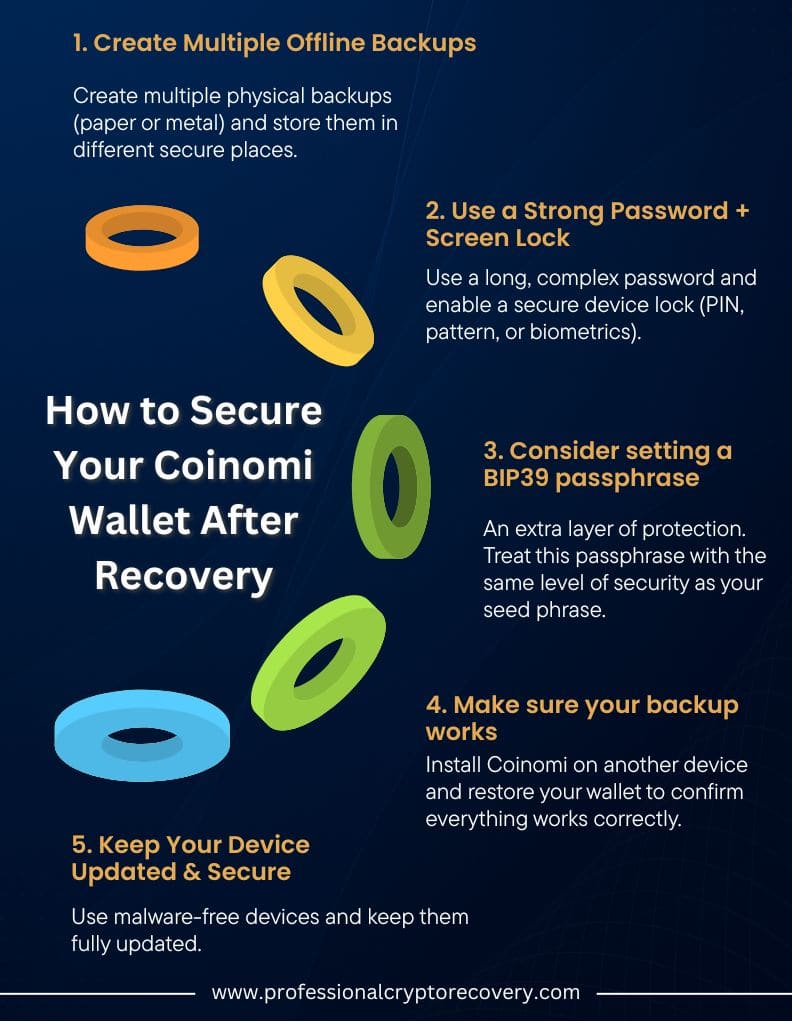
- Create multiple physical backups of your recovery phrase on paper (or better still, on metal) and store them in different secure locations. Avoid storing your seed phrase on any computer, phone, or tablet. Don’t take photos of it and never store this information in the cloud.
- Use a strong app password and screen lock. Your password should be more than 10 characters long and contain letters, numbers, and other characters. Set up a screen lock that requires a PIN, pattern, or biometric information to unlock.
- Consider setting a BIP39 passphrase. This is an optional extra line of defense, so even if someone gets hold of your recovery phrase, they’ll still need this passphrase to reconstruct the wallet. Treat this passphrase like a second version of your seed phrase, and guard it just as carefully.
- Make sure your backup works by installing Coinomi on a different device and restoring your wallet using the phrase. This helps identify any issues, like a misremembered passphrase.
- Keep all your devices secure and updated. The phone or computer you use to access Coinomi should be free of malware and fully updated to take advantage of any patches and security features.
- Only ever use official Coinomi downloads from the official website or a trusted app store.
Need Professional Help With Coinomi Wallet Recovery? Let’s Chat!
If you’ve tried all the above and still can’t access your Coinomi wallet, it may be time to turn to professional help.
At Professional Crypto Recovery, we use secure, ethical, and proven recovery methods to give you the best possible chance of regaining access to your crypto assets. Our process is private and transparent, and we care deeply about the safety of your funds.
Get in touch with us to learn more about how we can help you.
Frequently Asked Questions
If you still have Coinomi installed on a device, you can access the app with your password and backup your recovery phrase within the app. If you have lost your recovery phrase and password, it will be very difficult to regain access to your wallet without professional help.
Your coins may not have synced yet. In this case, try troubleshooting your internet connection. You can also add the coins manually by selecting the blue “+” button and choosing the coins.
Yes, you’ll need your passphrase and seed phrase to restore the wallet on a new device.
If you have lost both your recovery phrase and password, your chances of recovering your Coinomi wallet are unfortunately very low. In this case, you should contact a professional recovery service like PCR.