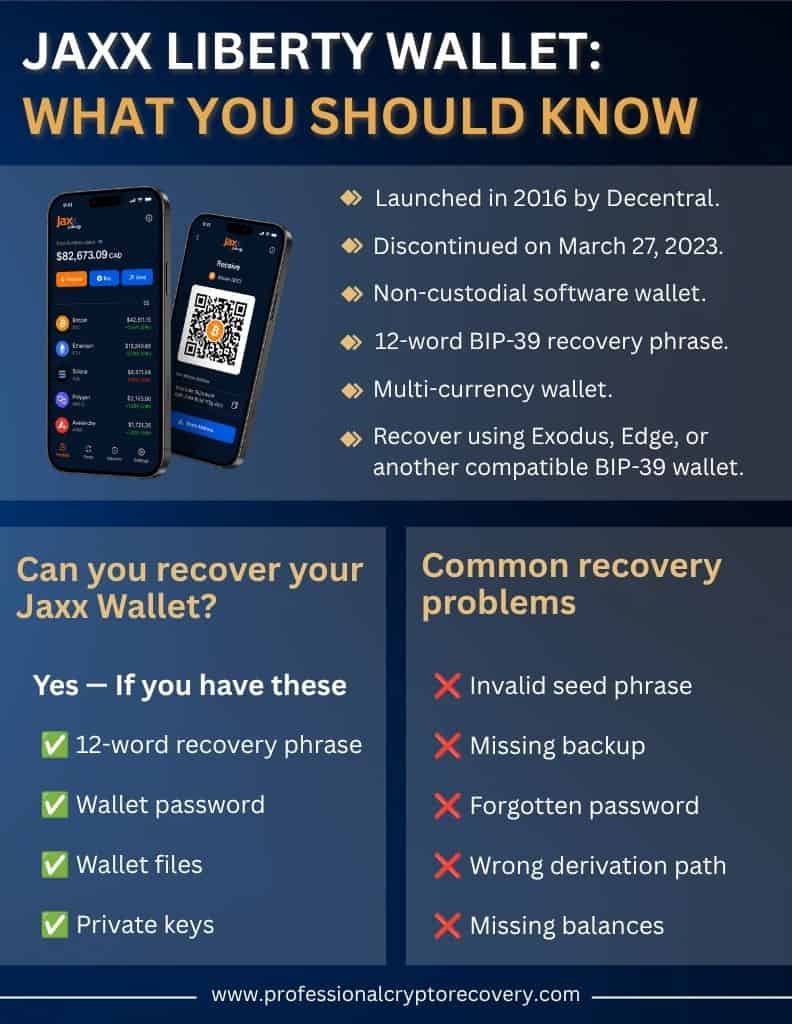
Jaxx was a non-custodial, multi-currency software wallet created by Decentral in 2016 and retired on March 27, 2023. At the time of its retirement, it was a capable platform that could be trusted to hold your crypto securely. But with developer support no longer an option, users had to move assets elsewhere.
So, if you still have crypto in a Jaxx wallet, you can only access it by recovering it on a different wallet. Jaxx officially partnered with Exodus to ensure a seamless migration. In reality, users can migrate to any other mainstream wallet that uses the BIP-39 standard as long as the derivation paths are similar.
In this article, we’ll look at Jaxx wallet recovery, common issues, and provide troubleshooting advice to help you get your assets back.
Jaxx Liberty Wallet Recovery
Decentral built Jaxx Liberty to be non-custodial. Each owner received a 12-word phrase to back up the wallet, which was generated during setup. Decentral didn’t receive or store any copies.
If you have your Jaxx Liberty seed phrase, you can plug it into any BIP-39 wallet and access your crypto. But for a seamless experience, the developers recommend Exodus Wallet and Edge because they adhere to the same interoperability standards.
How to Restore Jaxx Wallet on Exodus
Exodus is one of the most popular software wallets. It is available across mobile (Android and iOS), desktop (Windows, macOS, and Linux), and web (Chrome and Brave). To restore your wallet:
- Download and install Exodus: Download and install the Exodus application on your device of choice.
- Select “I have a wallet”: Open the application. You’ll be met with two options: create a new wallet or restore an existing one. Choose the latter.
- Restore wallet: Exodus requires you to provide the 12-word mnemonic phrase to restore your wallet.
- Create password: You’ll also be required to create a password.
- Confirm restoration: Confirm your password and click on “Restore” to complete the process. If you’ve provided the correct details, your accounts will be imported onto the platform. At this point, you should be able to access your crypto.
You can also restore your wallet by importing the raw private keys into Exodus. Note that this option is only supported on the desktop app.
Also, importing private keys does not add the key and its associated accounts. Instead, it initiates a transaction that moves crypto from the private keys’ address to your Exodus Wallet address, which incurs transaction fees.
To do so:
- Navigate to the crypto asset you want to import.
- Select a network compatible with your private keys.
- Navigate to the menu and select Move Funds.
- Paste the private keys into the dialogue box and confirm the operation.
Exodus will create a transaction that moves funds from your Jaxx address to your Exodus Wallet address. Since this is a transaction, you’ll have to repeat the operation for every asset, just like you would if you were sending assets from one address to the other.
This means you have to be diligent in selecting the proper network for each asset in your Jaxx Liberty wallet. You’ll also incur fees for every transaction, so make sure that your Jaxx address holds enough of the network’s main assets to cover transaction fees.
How to Restore Jaxx Wallet on Edge
Edge is a non-custodial mobile wallet available on both Android and iOS. To restore your wallet to it:
- Download Edge: Download the official Edge Wallet from Google’s Play Store (or the App Store if you’re on an iPhone).
- Create an Edge account: Edge requires you to create an account, complete with a username and password.
- Set a PIN: You’ll also be required to set a PIN for quick logins. This PIN is only valid on the device it was created on.
Note that while this approach to account creation is more commonly associated with traditional apps, you don’t give up any personally identifiable information. It’s strictly designed to make recovery convenient.
Once you have the account set up and ready to go, you can import your wallet. Edge recommends extracting your master private key, writing it down, and manually typing it into the application via the import option.
Jaxx Wallet Recovery Best Practices
While wallet recovery can be straightforward, it is a sensitive operation. A slight mistake during recovery can result in loss of funds. Edge Wallet, for instance, has received several inquiries from users who had their crypto drained from their Jaxx wallets during migration.
Issues typically arise from poor key management that exposes the keys to hackers. So, you want to:
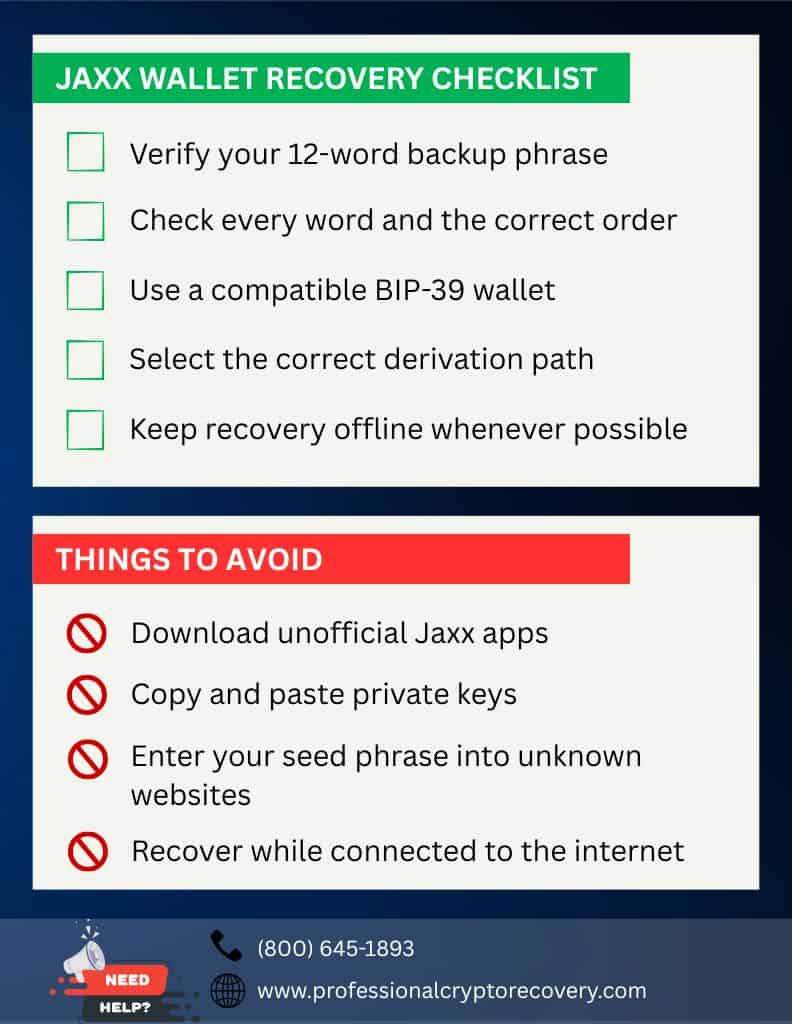
- Use an air-gapped device: Jaxx wallet has not been updated in years. Its security certificates are outdated, making it a vulnerable platform to be connected to the internet. If you’re dealing with the app or wallet files, you do not want to be online. This is also the case if you plan to use raw private keys.
- Input information manually: Malware exists that can monitor a device’s copy-paste buffer until it detects sensitive data, like passwords, private keys, and crypto addresses, which it swaps for an attacker-controlled alternative or reveals its clipboard contents to the attacker.
To be on the safe side, avoid copying and pasting your recovery phrase/ private keys.
Jaxx Liberty Wallet Troubleshooting Tips
If you have your BIP-39 recovery phrase, you should be able to recover and access crypto that is stuck in your old Jaxx wallet. But this isn’t always the case, and even when it is, things don’t always go completely according to plan.
Here are some common recovery issues and what to do if you encounter them.
Invalid/Incomplete Jaxx Wallet Backup Phrase
Non-custody is built on giving a wallet’s owner, and the owner alone, a backup of their private keys. This backup comes in the form of a mnemonic phrase consisting of 12 randomly generated words (some wallets generate up to 24 words) that can be used to create a copy of the wallet and access funds at any time.
Jaxx Liberty gave users a 12-word seed phrase to back up their wallet. As long as you have it, you should be able to restore your accounts on most BIP-39 platforms. That is, unless your seed phrase is invalid or incomplete.
You need to provide the recovery phrase you received when you created your Jaxx wallet. Any deviation will render your recovery phrase invalid. And if you’re missing one or more words, the phrase is incomplete and practically unusable.
To avoid this, double-check every word to ensure it has been spelled correctly and the entire phrase is in the right order. If you still encounter an invalid seed phrase error, you probably made a mistake when recording the backup. You’ll need to recover the correct seed phrase before you can continue.
Fortunately, there are some pretty powerful open-source tools you can use to attempt this. Examples include Hashcat, Ian Coleman’s BIP-39 recovery tool, and John the Ripper. They work by using available information to infer what’s missing. So the more complete your seed phrase is, the higher your chances of success.
Note that for security reasons, it’s best to use these tools on an airgapped computer.
Missing Backup Phrase
Jaxx wallet recovery depends on the seed phrase. If you’re sure you backed up your wallet during setup, scour your documents for it before concluding the backup is lost. Check notebooks, external drives, old devices, etc.
If you can’t find the phrase, there are still a few things you can do if you still have the app installed on your device. For instance, if you have a working Jaxx Liberty app, you can view the phrase by:
- Opening the Menu.
- Navigating to Security.
- Selecting View Backup Phrase.
If you’re on an older version, go to Tools and select Backup Wallet. You’ll be prompted to provide the wallet password before the recovery phrase can be revealed.
Note that there is no guarantee the app is still working so long after being discontinued. If you can’t get the app to open, you can still find the wallet files and extract the keys manually.
The location of these crucial files depends on your specific platform:
- Windows: go to C:\Users\YourUsername\AppData\Roaming\Jaxx\
- macOS: go to ~/Library/Application Support/Jaxx/
- Android: /data/data/com.liberty.jaxx/files/
Your private keys can be found in the following files in these folders:
- file__0.localstorage
- wallet_backup.json
Jaxx used your password to encrypt these files, so you’ll need the password to decrypt and view your private keys. If this works, write down the keys before importing them in another wallet.
Forgotten Password
Jaxx Liberty required users to set a password that protected their app from unauthorized access. On a deeper level, the password also encrypted the wallet’s data files, including private keys.
If you’ve lost this password and have no backup phrase, you’ll need to recover the password in order to extract your keys. You can do this with the help of password cracking tools like John the Ripper and Hashcat on an airgapped computer.
These require you to provide a few guesses. The more accurate your guesses, the higher your chances of success.
Missing Cryptocurrency Balances
It could be that you have all the details necessary to recover your Jaxx wallet. But on completing recovery on Edge, Exodus, or any other wallet, you realize you’re missing funds/accounts. There are two possible reasons for this:
- Your private keys were compromised, and your crypto was stolen.
- You didn’t select the right derivation paths when importing private keys.
If your crypto was stolen, there is no way to get it back. But if it’s a derivation path issue, you can breathe easy. Your funds are still there; it is just that your wallet checked the wrong spot. You need to direct it to the right one.
This varies depending on the asset you’re trying to import:
- Bitcoin: m/44’/0’/0′
- ERC-20 Tokens: m/44’/60’/0’/0/0
- Bitcoin Cash: m/44’/145’/0′
- Dash: m/44’/5’/0′
- Dogecoin: m/44’/3’/0′
- Litecoin: m/44’/2’/0′ (P2PKH – Legacy)
Overall, it is possible to solve any troubleshooting scenario with the right data and tools. But what if DIY solutions don’t work? Does that mean your crypto is lost forever?
Well, no!
If you’re unable to recover your Jaxx wallet, a crypto recovery professional might just be what you need.
Professional Jaxx Liberty Recovery
If you’ve so far been unable to recover your Jaxx Liberty wallet, don’t lose hope. It might still be possible to recover your crypto assets with more advanced tools and techniques. This is where Professional Crypto Recovery (PCR) comes in.
PCR is a service that specializes in helping crypto owners recover funds from their lost/outdated/discontinued wallets. With more than two decades of experience in IT and data recovery, our recovery expert has what it takes to help you access funds in your Jaxx Liberty wallet.
Overall, our crypto recovery services are efficient and affordable, costing 18% of the wallet’s value. We maintain clear communication and transparency about the recovery process. Contact us today to get started.
Frequently Asked Questions
Jaxx wallet was discontinued in March 2023 after its developers decided to move on to building other blockchain infrastructure. Its app hasn’t been updated in years, so it can no longer connect to and sync with the blockchain. In fact, attempting to connect your Jaxx Liberty app to the blockchain is a security risk.
If your backup phrase keeps returning an Invalid Seed Phrase error, it means you have the wrong phrase. This could be due to a spelling mistake, the wrong words, or a disordered phrase. Double-check your mnemonic to ensure you’re inputting the correct details.
Jaxx Liberty is a discontinued wallet platform. Since its developers no longer support it, it is no longer possible to download the app on the internet. The official download page has already been scrapped. This makes any Jaxx Liberty app you encounter online unsafe for use and download.
Jaxx gave users a BIP-39 recovery phrase to back up their wallet. BIP-39 is the commonly accepted standard for seed phrase generation in crypto. So if you have your mnemonic, you should be able to restore your Jaxx Liberty accounts on any mainstream wallet as long as it supports the same derivation paths.
The developers recommended Exodus Wallet and Edge Wallet.