The Ledger Nano X is one of Ledger’s most popular hardware wallet models. Once the cutting edge of hardware wallet technology, it has sold millions of units and continues to attract users with a robust feature set at a relatively affordable price.
But being an electronic device, the Nano X is vulnerable to wear, tear, and possible malfunction over time. For example, on the Ledger and Reddit forums, several users have reported their devices refusing to turn on even after being plugged in.
Is your Ledger Nano X not turning on? This article explores this issue, highlighting potential causes and possible solutions for you to try.
How the Ledger Nano X Works
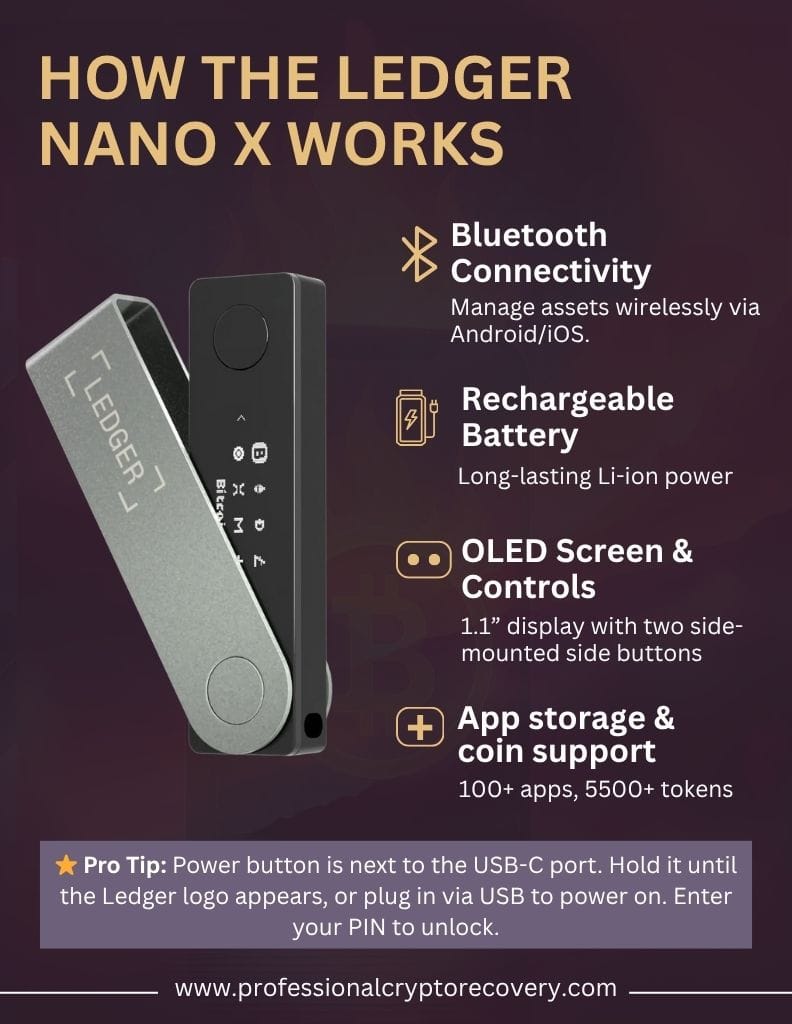
The Ledger Nano X resembles a thumb drive. Like the Nano S, you can connect it to a computer via USB. But unlike its sister model, it has an internal battery and supports Bluetooth. This allows it to connect to your phone wirelessly. Here’s a list of the key features:
- Bluetooth connectivity: Allows you to wirelessly manage assets from Android or iOS. This link is only supported by LedgerLive Mobile. For PC, you must plug it in via USB-C.
- Rechargeable battery: A built-in Li-ion cell provides several hours of standalone use. It is charged via a USB‑C port on the side.
- OLED screen & controls: Two side-mounted buttons for navigation and a 1.1” OLED screen as the interface.
- App storage & coin support: Can hold more than 100 apps simultaneously and supports major chains, NFTs, and 5500+ other coins and tokens.
The power button is located on the side, adjacent to the USB-C port. To turn on, press and hold it until the Ledger logo appears on the screen. Plugging in the Nano X via USB will also automatically power it on. You’ll then be prompted to enter your PIN to unlock the wallet.
Unfortunately, this process doesn’t always go as planned.
Why Is Your Ledger Nano X Not Turning On
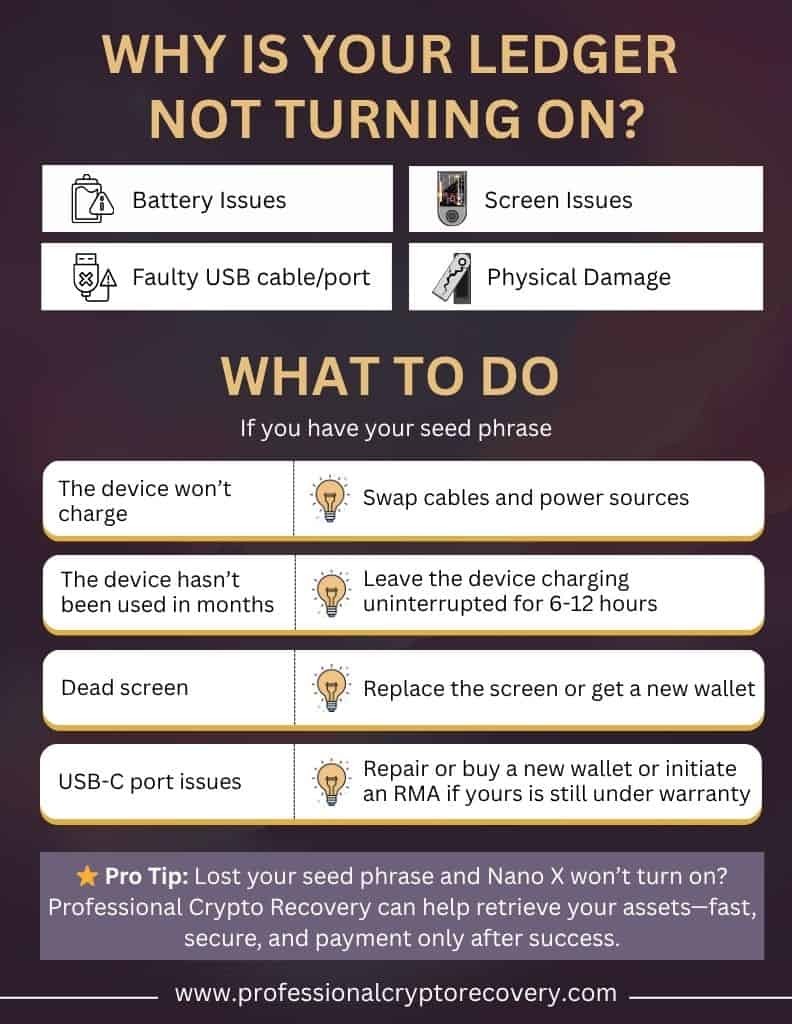
If your Ledger Nano X refuses to power on, the problem could be:
1. Ledger Nano X Battery Issues
The Nano X’s Li-ion battery can fall into a deep discharge state if it is not used for an extended period. In this case, the device won’t wake if you press the power button and may be initially unresponsive when plugged in.
Sometimes, however, the battery itself has failed. You’ll get the error message, “Error Battery Cannot Charge,” if this is the case. If your device is still under warranty, you can initiate a Return Merchandise Authorization (RMA) to get a replacement from Ledger.
2. Faulty USB cable/port
Your Ledger Nano X should light up when plugged in. However, this will not happen if you’re using a faulty USB cable or port, because no current is reaching the device. If your unit has no charge left, it will appear dead.
3. Ledger Nano X Screen Issues
By lighting up, the 1.1” OLED screen informs you that the Ledger Nano X has turned on. Over time, this screen, or the internal flex cables can degrade, causing the display to become dim. If the wear is significant enough, the screen becomes unresponsive.
It will not light up when you press the power button or plug in your Nano X, even if the device itself is powered on. To know if this is the case, connect your Nano X to a computer and open Ledger Live. If the application detects your device, the diagnosis is confirmed.
4. Physical Damage
The Nano X is prone to wear and tear over time. Physical impact from dropping your wallet can also damage internal components and loosen connections, causing it to fail to turn on. Inspect your unit for signs of physical damage. If you can hear loose components rattling inside, this is likely the cause.
What to Do if Your Ledger Nano X Won’t Turn On
If your Ledger Nano X won’t turn on:
- Swap cables and power sources if the device won’t charge. It’s likely the problem is a result of a faulty cable or port (in the power source).
- If the issue is with the device’s USB-C port, you can repair or replace it. Alternatively, you can buy a new wallet or initiate an RMA if yours is still under warranty.
- Leave the device charging uninterrupted for 6-12 hours if you suspect a fully depleted battery. This is often the case if the device hasn’t been used in months.
- If the issue is a dead screen, you can replace the screen or get a new wallet.
- DO NOT mash the buttons as you could accidentally reset the wallet, causing you to lose all your funds if you don’t have a valid seed phrase.
Ledger doesn’t recommend you repair your unit for security reasons. In most cases, you’ll just have to find a new wallet and use your recovery phrase to restore your accounts and access your funds. This should be relatively straightforward if you have your seed phrase.
But what if you don’t?
Lost Your Seed Phrase and Your Ledger Nano X Won’t Turn On?
Your seed phrase backs up your Ledger Nano X. Contained within the 12- or 24-word phrase is all the data you need to restore your accounts on another platform and access your assets. If you don’t have this phrase, you’ll have to recover it or retrieve your assets from the device some other way.
None of these tasks is easy. A 12-word seed phrase has 1.37 × 10³⁸ possible word combinations (in the correct order), and this number only goes higher as you add additional words to the phrase. On the other hand, you’re probably not familiar with the internals of the Ledger Nano X to repair it or extract the necessary data yourself.
This is where a crypto recovery expert comes in. If your Ledger Nano X is not turning on and you don’t have your seed phrase, your best chances lie with a recovery professional.
Professional Crypto Recovery can help you recover your assets. With over two decades of experience in IT and data recovery, we have successfully recovered hardware wallets and helped many users regain access to their crypto.
Our services are fast and affordable, and we only accept payment after a successful recovery. Contact us today to get started.
Frequently Asked Questions (FAQs)
Why won’t my Nano X power on?
A completely drained or faulty battery can prevent startup. Plug into a good USB‑C power source and leave charging for 6–12 hours before retrying the power button.
How do I know my Nano X is charging?
When connected to power, a battery icon briefly appears on the screen. If the screen stays blank, try a different cable, port, or charger.
Does Bluetooth need to be on for my Nano X to power up?
No. Bluetooth only affects wireless connectivity. Powering depends solely on battery charge, button press, or USB connection.