Open-source wallets are a cornerstone of the cryptocurrency space. These wallets are usually made by crypto enthusiasts, for crypto enthusiasts, and provide an auditable platform for users to manage crypto assets.
One of the biggest issues is that maintaining open-source software comes with its own challenges, which can sometimes halt support for a project. And that’s exactly what happened to Toast Wallet, an XRP-only crypto wallet operating from 2017 to 2020.
Introduction to Toast Wallet
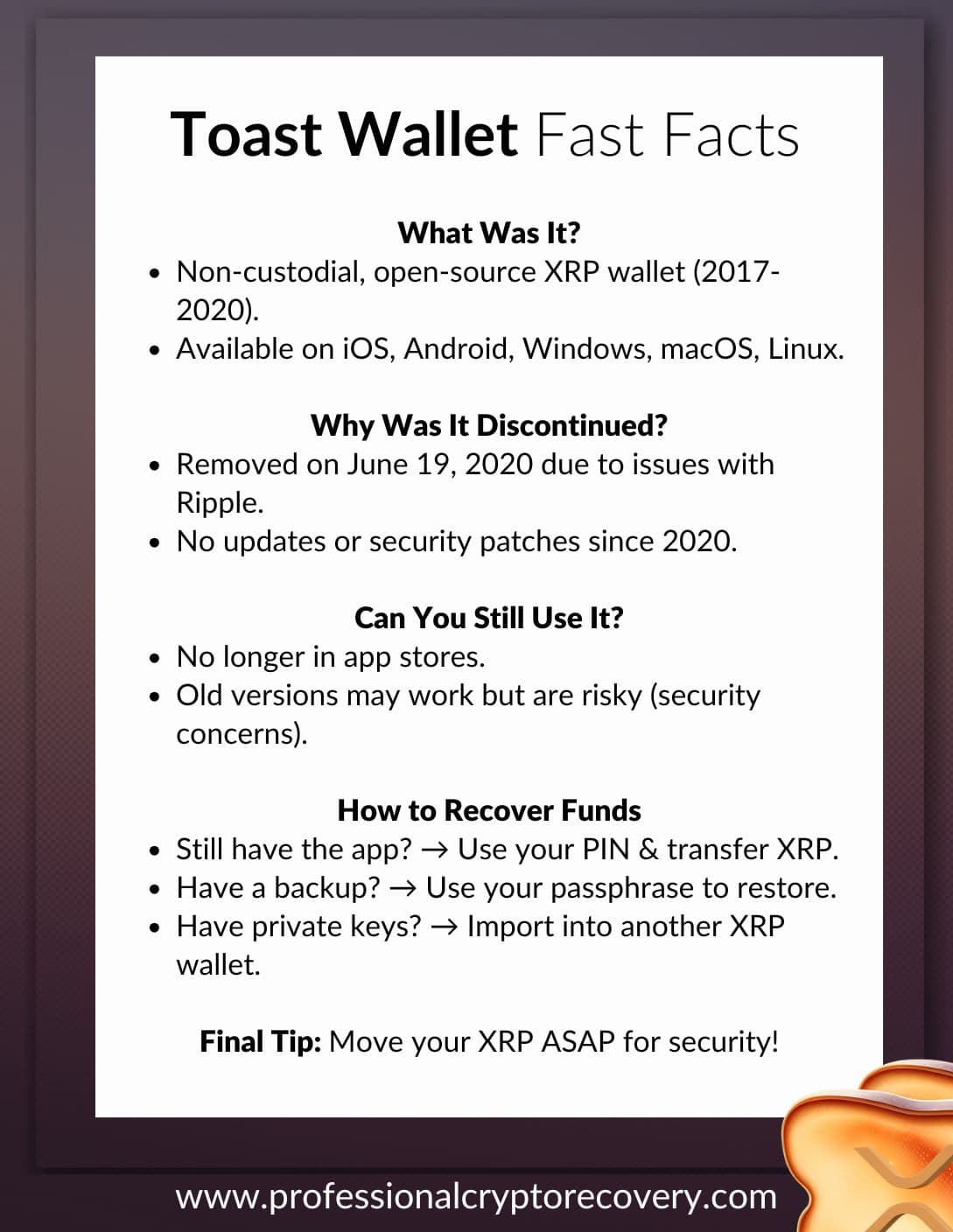
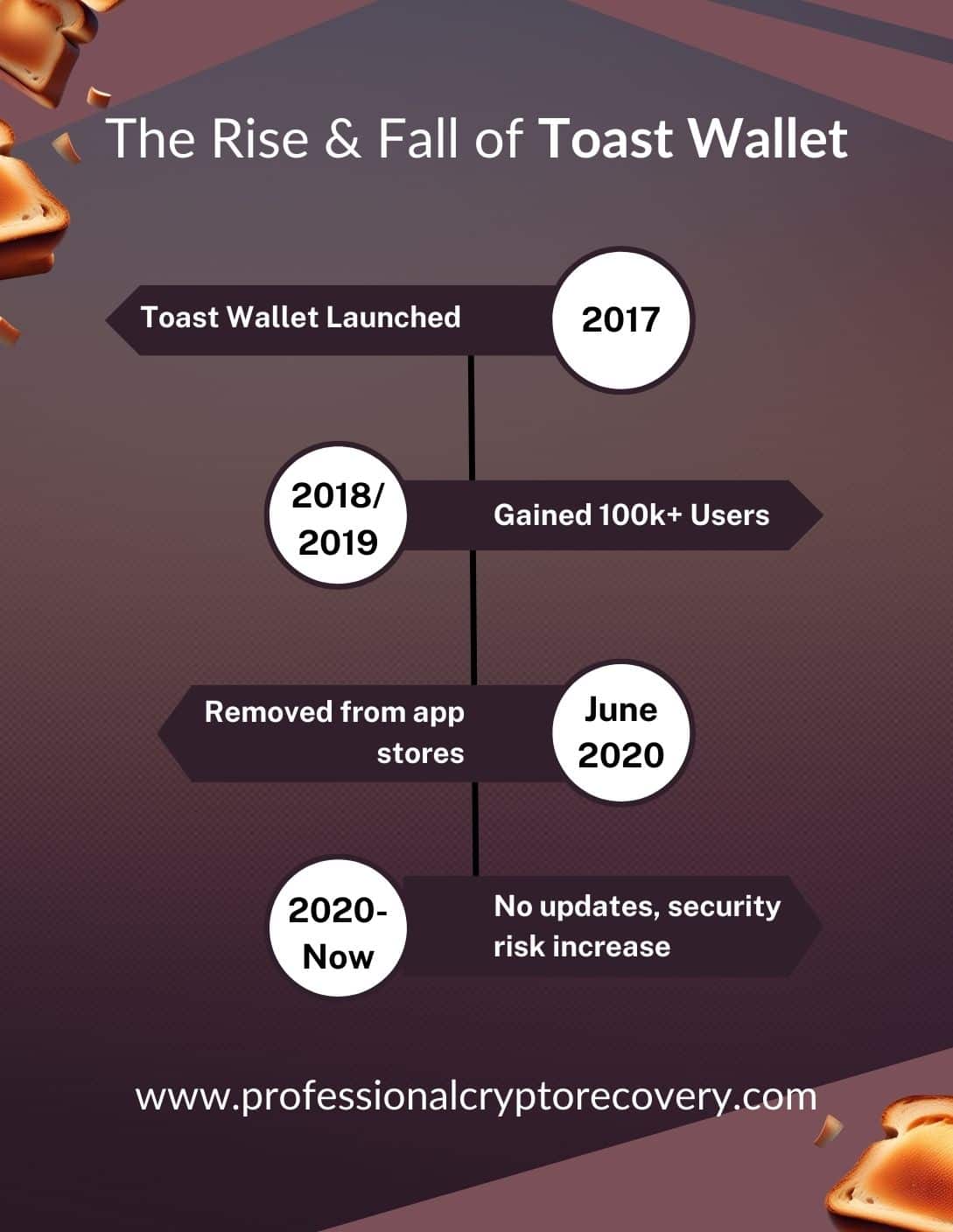
Toast Wallet was an open-source, non-custodial crypto wallet. It was developed by Richard Holland for managing Ripple (XRP) on iOS, Android, Windows, macOS, and Linux, and became a popular XRP wallet with 100,000+ users within a year of launch.
The wallet is currently unavailable on any platform, though. It was shut down, although you can find the final builds of the application and a browser version on GitHub.
What Happened to Toast Wallet?
Toast Wallet’s developers removed the application from app stores on June 19, 2020, “in protest at the abysmal treatment of community developers by Ripple”. They announced the wallet would be shutting down and advised users to move their XRP to other wallets.
There is little evidence to support Toast Wallet’s claim of abysmal treatment. But a few days after the announcement, claims supporting the accusations alleged a lack of funding for Toast through xPring.
xPring is Ripple’s investment arm. According to the claims, Toast Wallet received less support from xPring than other XRP wallets.
Still, existing Toast Wallet installations continued to work even after the shutdown. The wallet did not rely on any central server run by the developers. However, given that the software hasn’t been updated in five years, using it to manage assets isn’t a good idea.
If you have any funds in a Toast Wallet, recovery to a more modern wallet should be a priority.
Toast Wallet Recovery Tools
Toast Wallet was non-custodial. The application provided users with everything they needed to recover their wallets. Your ability to recover your Toast Wallets depends on whether you still have certain items.
Wallet Pin
It’s standard practice among crypto wallets to use a PIN or password to protect your funds if someone unauthorized accesses your device. In this case, Toast Wallet had you set a 6-digit PIN that you needed to enter every time you opened the wallet.
Wallet Backup
Toast Wallet had a relatively straightforward recovery system. It let users create and export a backup of their wallet data, with that data encrypted by a passphrase. Being a data backup meant that it backed up only the addresses present in the wallet at the time of backup.
Recovery Phrase
Toast Wallet also gave users a recovery phrase. But this recovery phrase differed from the typical seed phrases used by most wallets.
The standard practice for non-custodial wallets is to give you a seed phrase of 12, 16, or 24 words. In the right order, these words create a mnemonic for your private keys, allowing you to restore your wallet in another application.
On Toast Wallet however, the recovery phrase is only six words long. It also doesn’t back up your private keys. Instead, it is used to recover your passphrase; the same passphrase that encrypts your wallet data.
So, you would receive a six-word recovery phrase after setting a passphrase. The idea was that if a user forgot their passphrase, they could use the recovery phrase to recover it, and then use the passphrase to decrypt the wallet backup.
Unlike a standard crypto recovery phrase, Toast Wallet’s recovery phrase was not a wallet backup, but a password backup. In fact, it is useless without the wallet data backup.
Manual Backup
You could also manually create a backup of your Toast Wallet by copying the private keys. These can then be imported into another wallet to access your funds.
Accessing Your Toast Wallet
Your approach to recovery depends on your specific situation and the tools at your disposal. Here are the three situations where it is possible:
If You Still Have the Application
It’s possible that some users still have the Toast Wallet application on an old device. In this case, recovery is possible if you can still remember or find your PIN.
- Use this PIN to open the wallet
- Once inside, transfer your XRP to another wallet, like Xaman
If You Have an Encrypted Backup
Your encrypted wallet backup contains your wallet data, which you can use to restore your account and access your XRP. But you need to have the passphrase encrypting the backup for this to work.
Your passphrase decrypts the backup data.
If for some reason it doesn’t work, you might have the wrong phrase and will need the wallet’s recovery phrase to get the correct one. When you don’t have your recovery phrase, then you’ll need the services of an expert.
If You Have a Manual Backup
Having a manual backup of your Toast Wallet makes recovery pretty straightforward. All you have to do is import the private keys into another supported wallet, like Xaman. You can also use the browser version to access your Toast Wallet and transfer funds.
Once you recover your wallet, you’ll want to withdraw your funds and close Toast Wallet for good. It hasn’t had a security update in five years, making it vulnerable to modern hacking attempts.
Book a Toast Wallet Recovery Service
Toast Wallet recovery should be easy if you have the tools, at least in theory. In practice, however, its unsupported status since 2020 can make recovery frustrating, as evidenced on the wallet’s subreddit r/ToastWallet. Oftentimes, either things don’t work as they should, or don’t work at all, because of outdated software.
There are also reports of missing funds, users getting hacked on the browser version, and phishing sites stealing private keys. Hackers have had plenty of time to review the source code and find vulnerabilities, which has raised the risk of a hack if you’re not 100% diligent in your recovery.
If you don’t want to take the risk, it’s best to hire a crypto recovery expert who can help recover old and discontinued wallets safely. Experts have the knowledge, tools, and experience needed to recover your XRP safely. Among them, PCR offers the most affordable and efficient crypto recovery services, backed by 20+ years of IT experience. Contact us today to begin your Toast Wallet recovery.
Frequently Asked Questions
No. You should not use your Toast Wallet application, even if it still works. The wallet has not received any security updates in five years. And with its code being publicly available on GitHub, hackers have had plenty of time to find vulnerabilities in the software.
Not necessarily. Depending on the situation and the recovery resources available, it is possible to recover XRP stuck in a Toast Wallet, which you can do on your own or with the help of a crypto recovery professional.