Support for the BTC.com Blocktrail Wallet ended a few years ago. The non-custodial wallet was a popular Bitcoin (BTC) and Bitcoin Cash (BCH) wallet before its discontinuation in late 2020. Bitmain, the organization maintaining the wallet, gave users a notice period to withdraw their funds and transfer them to other wallets before shutting down the service.
However, some users still have funds stuck in their BTC.com accounts, unable to access and withdraw them. Since the platform is no longer supported, recovering these wallets can be challenging. If you need to recover old and discontinued wallets like BTC.com, don’t worry—we’re here to help. Read on.
The BTC.com Blocktrail Wallet Work
BTC.com was a non-custodial crypto wallet. It was initially created by Blocktrail as a Bitcoin (BTC) wallet and later updated to support Bitcoin Cash (BCH) after the fork. In July 2016, Blocktrail was acquired by Bitmain, a Chinese company specializing in the research, development, and sale of custom BTC miners and mining chips.
As a non-custodial wallet, BTC.com Blocktrail gave users their private keys. It provided users with a recovery phrase (seed phrase) during the initial setup. The phrase can be used to recover the wallet if the user lost access to their device or forgot their password. But the whole thing worked differently from your average crypto wallet.
Non-custodial wallets typically display the mnemonic phrase during setup for you to copy. That’s not the case with the BTC.com wallet.
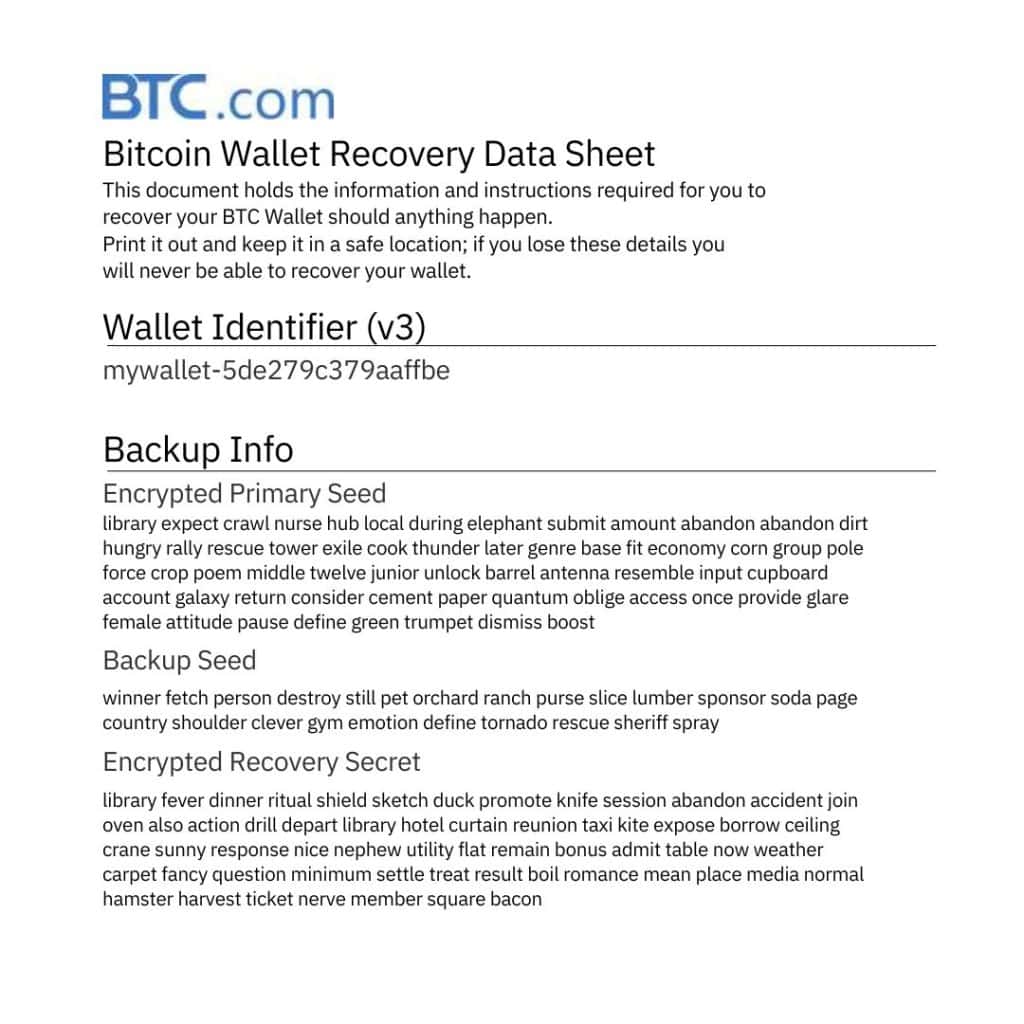
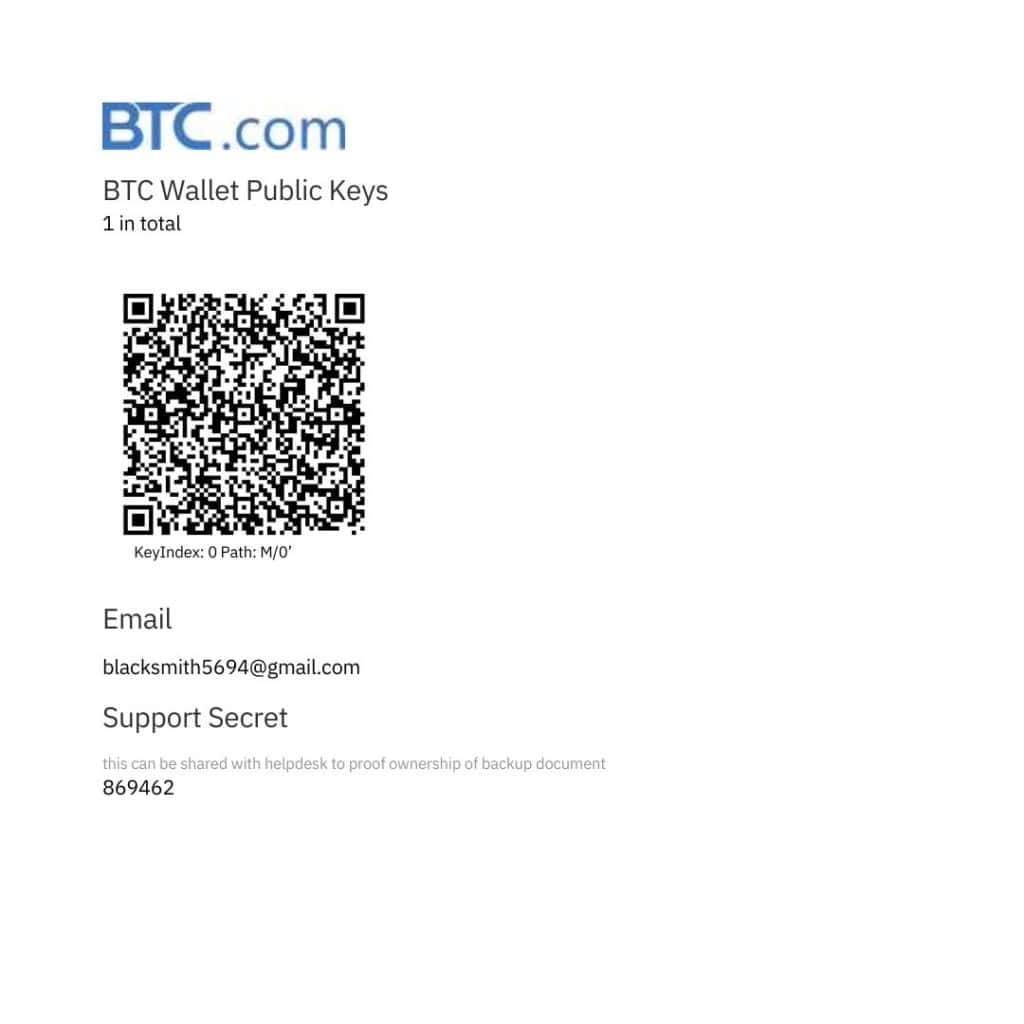
After setting up their Blocktrail wallet, users received a Bitcoin Wallet Recovery Data Sheet. It’s a PDF that contains all the information and instructions needed to recover your Bitcoin wallet. In case of a problem, you should first visit Blocktrail’s recovery website and use the data in this sheet to recover your wallet.
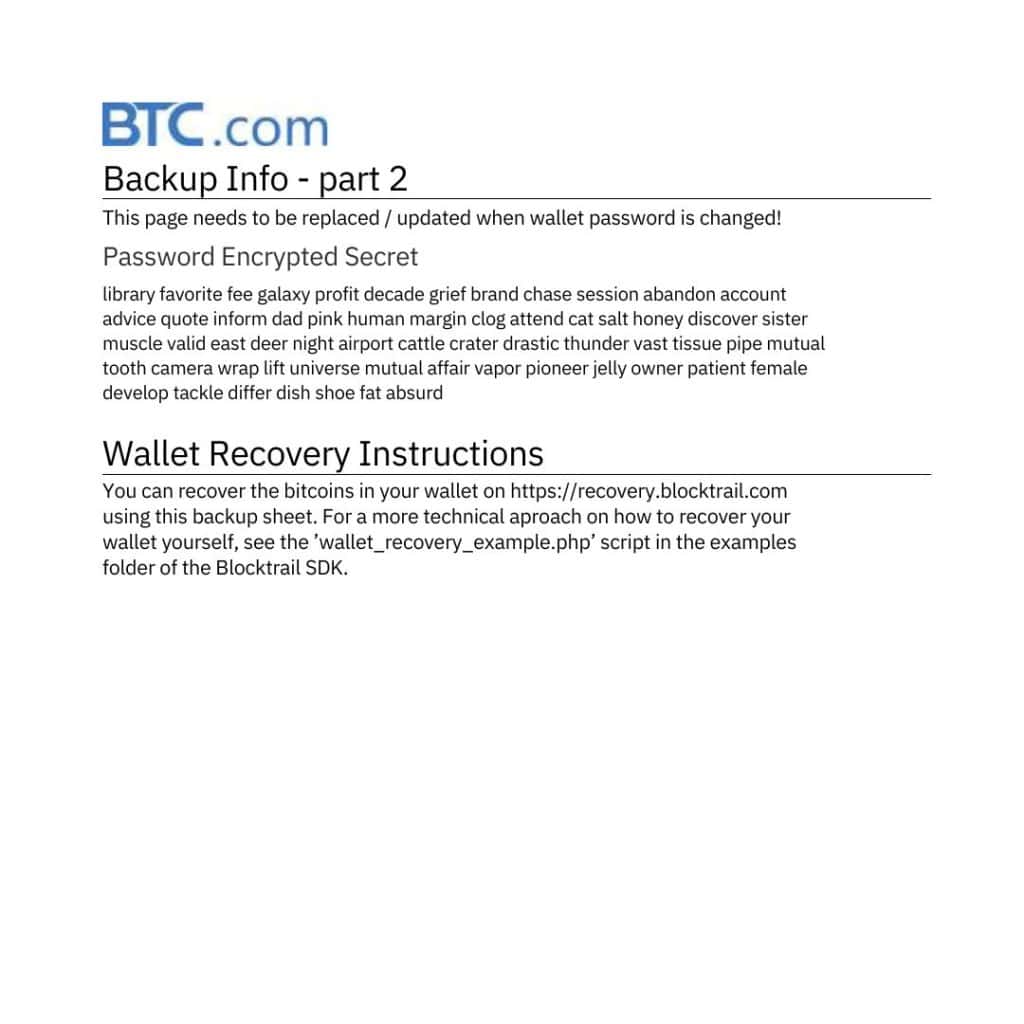
BTC.com Blocktrail Wallet Recovery
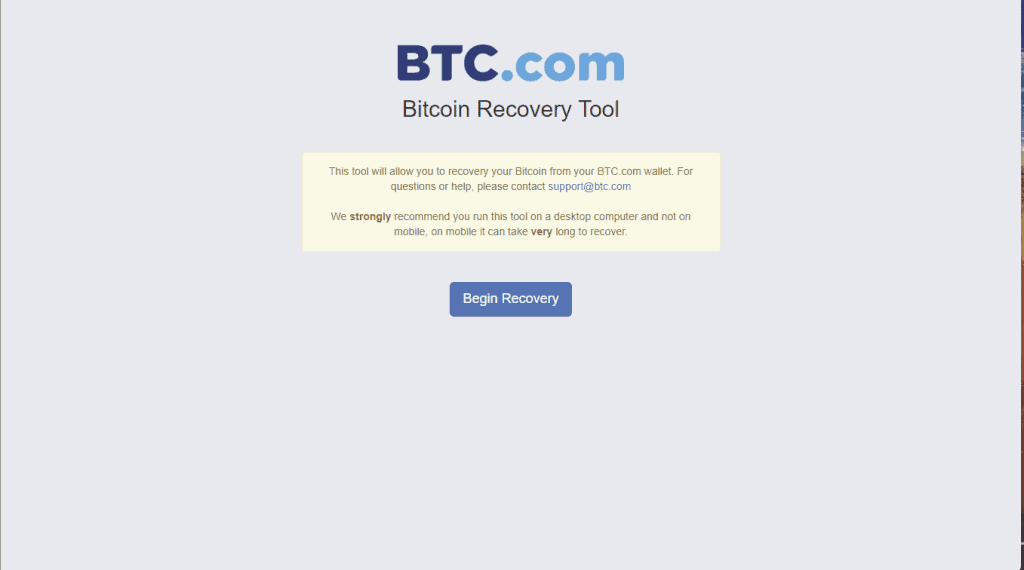
Click Begin Recovery to go to a page with two forms. You’re supposed to fill in the data in your backup document in the first form, which includes:
- Your wallet version.
- The encrypted primary seed found on page 1 of the document.
- The backup seed, also found on page 1.
- The password-encrypted secret phrase found on page 2.
- Your wallet’s password.
The second form only requires your Blocktrail public keys.
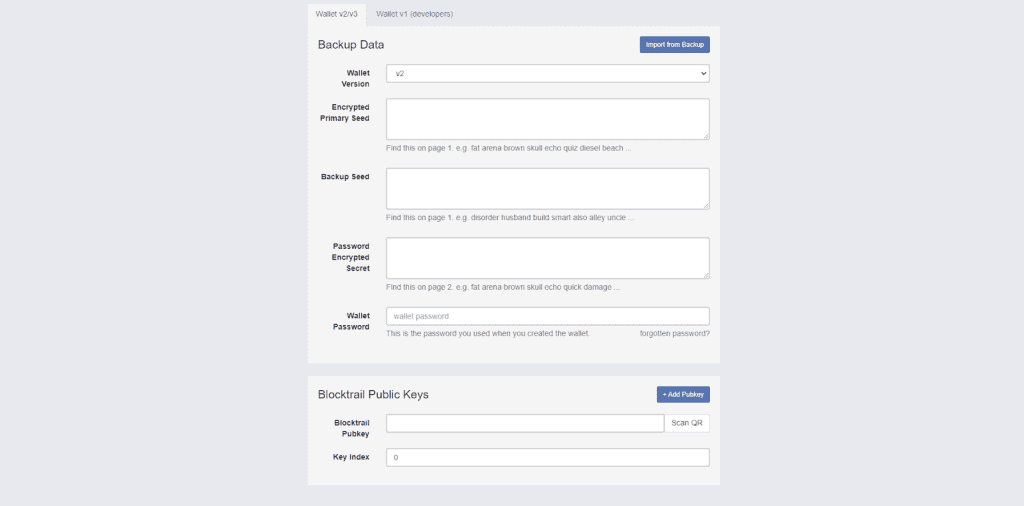
Once properly filled in, click Next. The platform will guide you through the steps to recover your wallet.
What If It Doesn’t Work?
Blocktrail’s Bitcoin recovery tool doesn’t always work. When that happens, there’s nothing you can do by yourself to recover the BTC.com wallet. That doesn’t mean your assets are lost forever, you just need the services of a wallet recovery professional.
Cryptocurrency recovery immediately becomes a challenging task when conventional channels (recovery phrases and backup files) fail. At this point, someone with a good understanding of cryptography and data recovery is better placed to help you.
Recover Your BTC.com Wallet
Professional Crypto Recovery (PCR) is a crypto recovery service that helps people salvage their lost crypto. With many years of experience and many more successful wallet recoveries under our belt, we give you the best chance of recovering your BTC.com wallet.
No upfront payment is required. We only accept payment after a successful recovery. Contact us now to recover your BTC.com wallet.
Frequently Asked Questions
Unfortunately, the BTC.com Blocktrail wallet is no longer supported. The app is no longer available on the Google Play Store or the Apple App Store.
To recover your wallet, use the recovery tool on the BTC.com website and enter your recovery phrase. This will restore access to your funds. If that doesn’t work, contact a wallet recovery expert.
The BTC.com Wallet supported Bitcoin (BTC) and Bitcoin Cash (BCH).